
If you want to set different prices for different ticket types then follow the steps in this guide.
Step 1
Make sure you have created your event/race on EtchRock. For instructions on how to do this, check out our guide on 'How to create an event/race' here.
Step 2
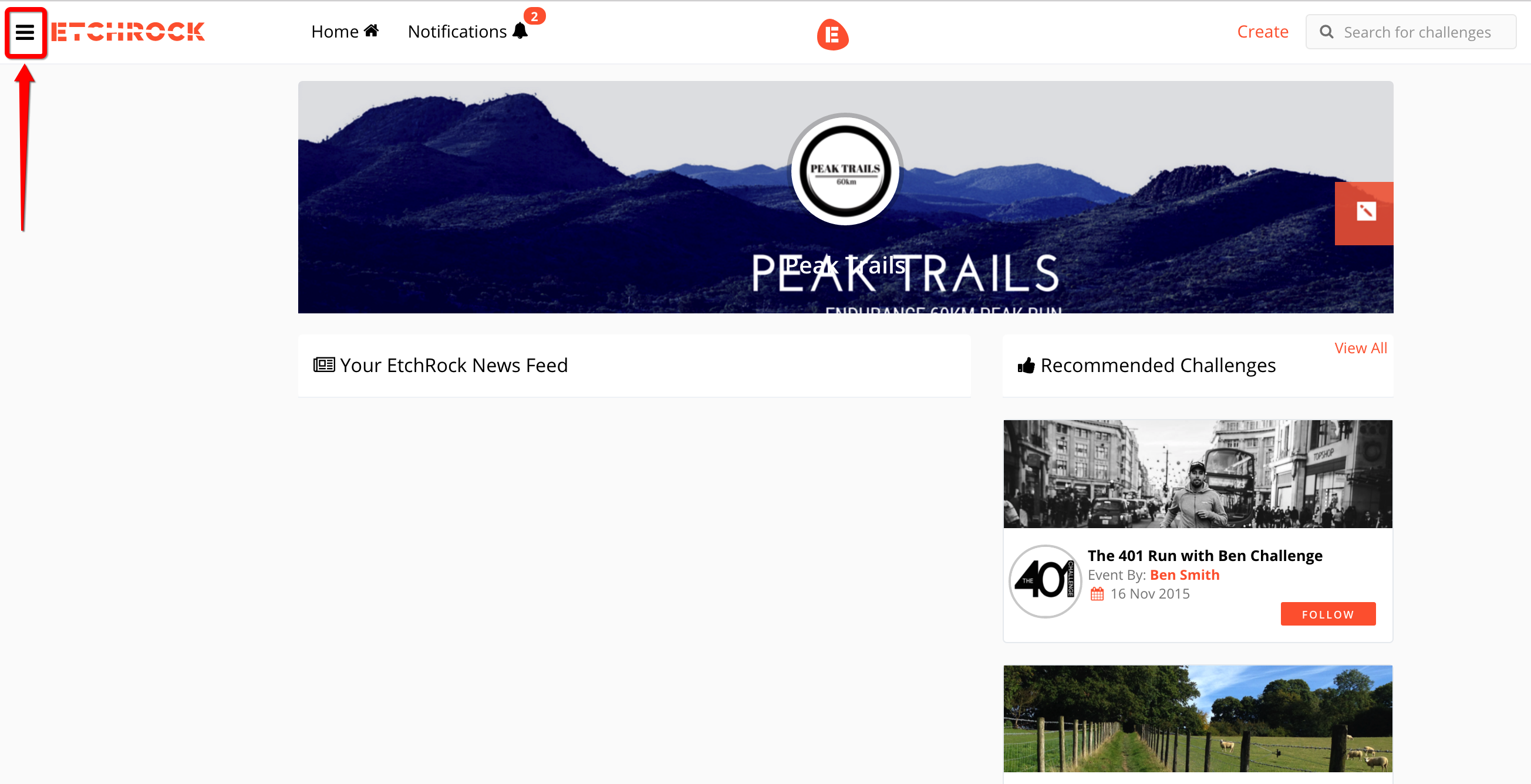
Select the 'menu' button from the upper left hand corner.
Step 3
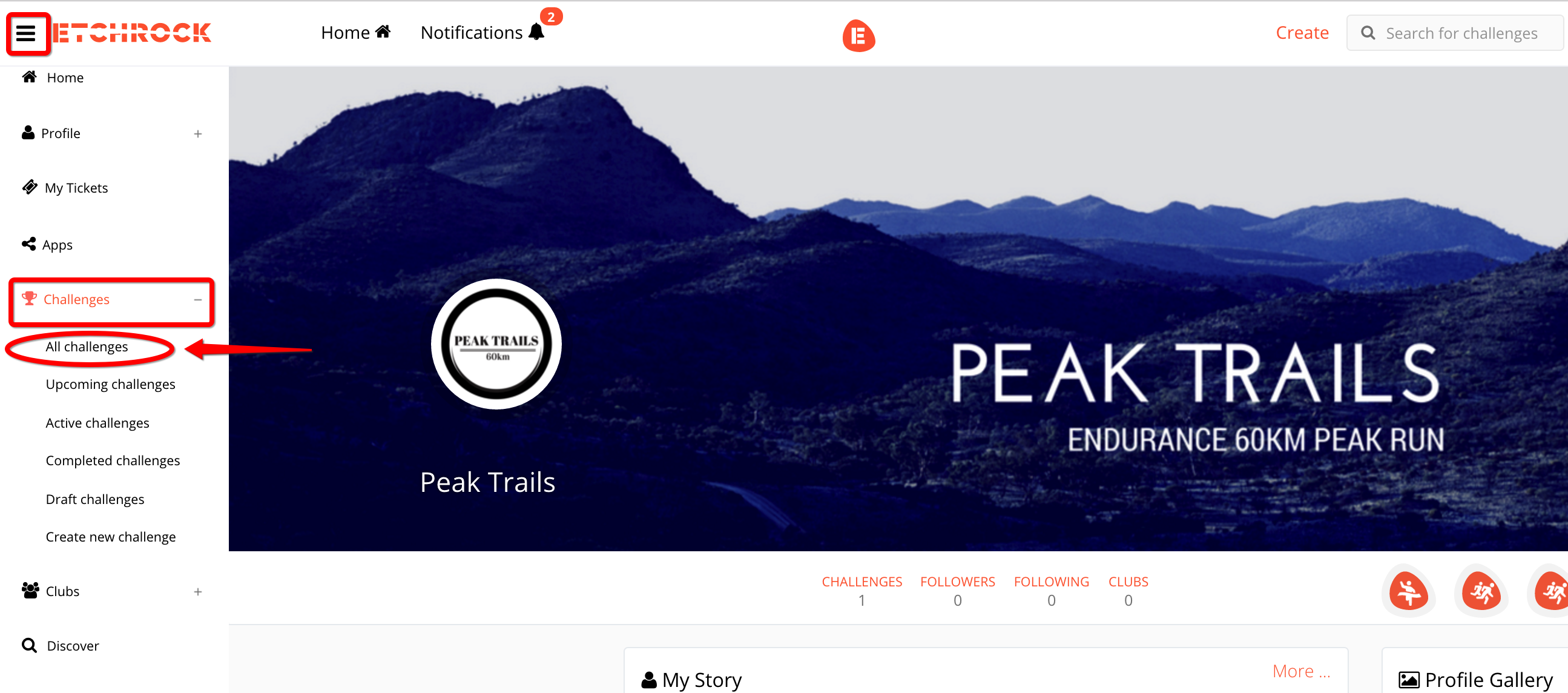
From the drop down menu, select 'Challenges' and then 'All Challenges'.
Step 4
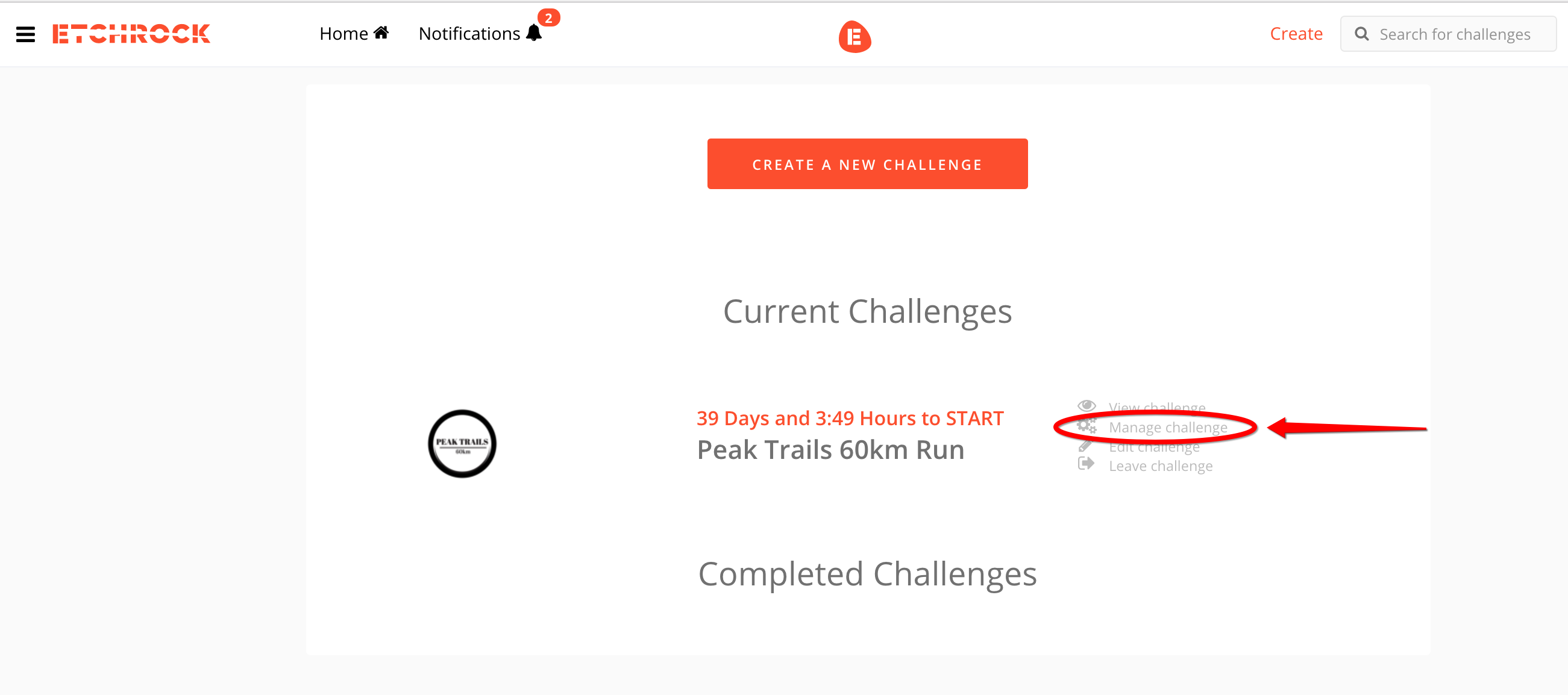
Where you see your challenge displayed, select 'Manage Challenge'.
Step 5
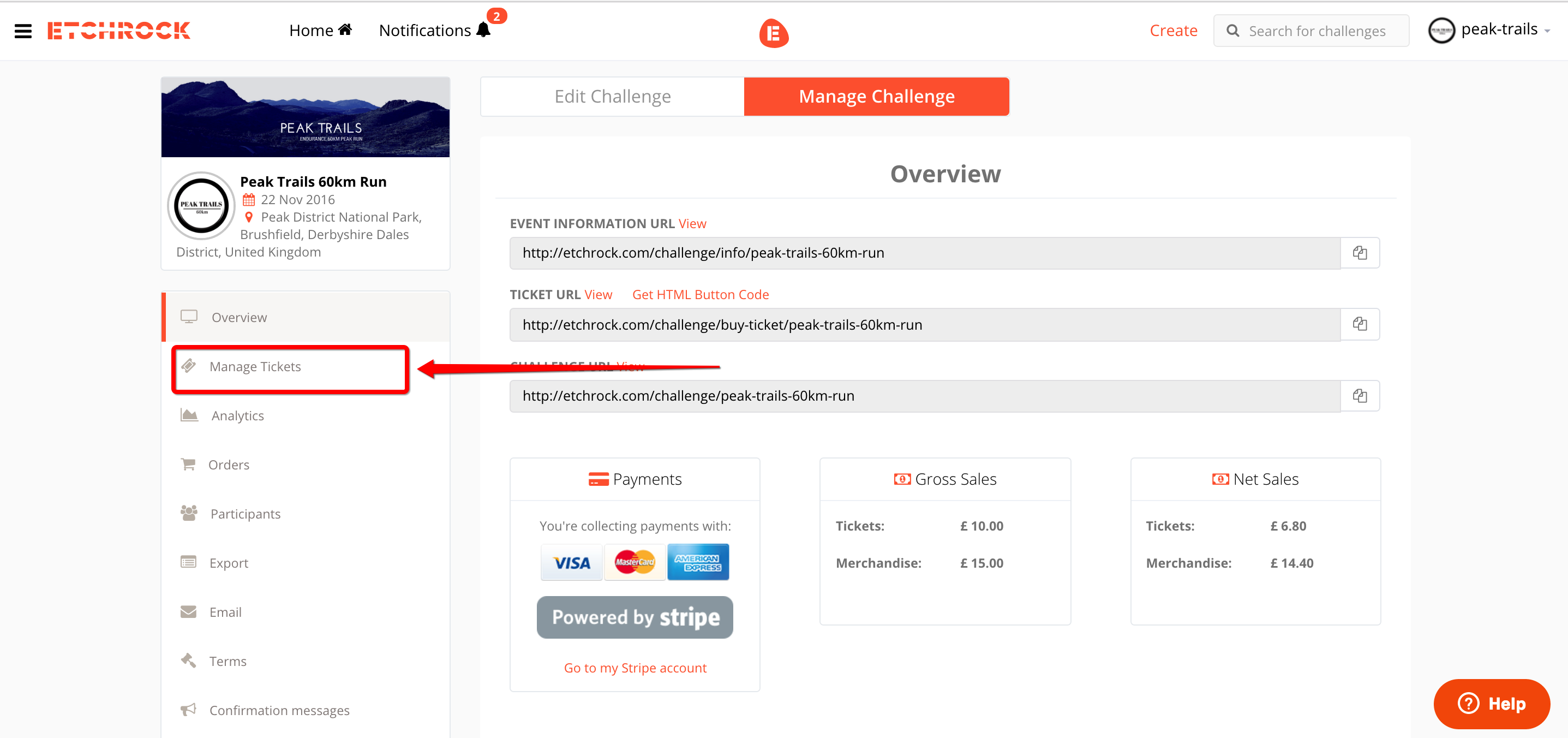
Select 'Manage Tickets' from the menu on the left.
Step 6
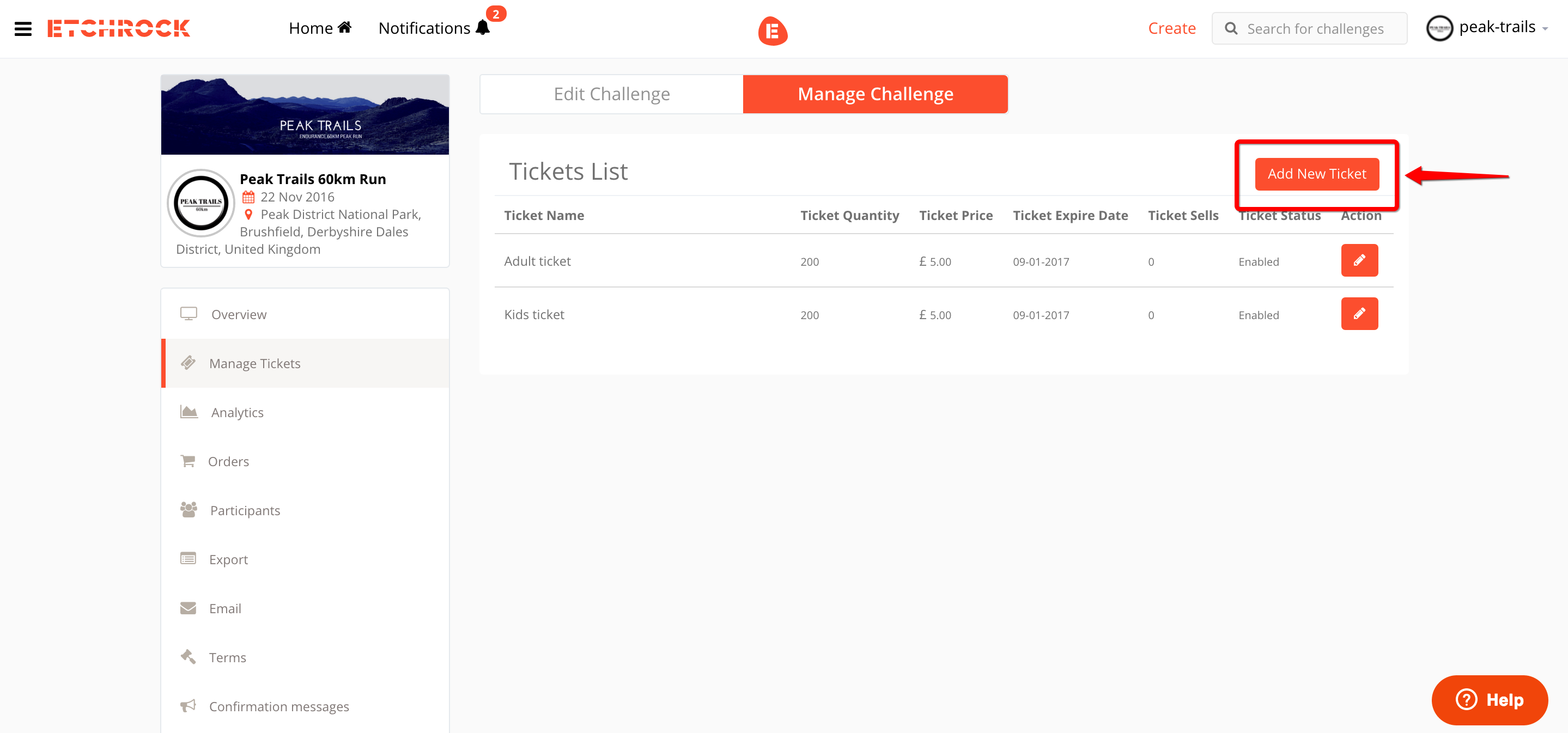
Select the 'Add a new ticket' button to start adding different ticket types for your event/race.
Step 7
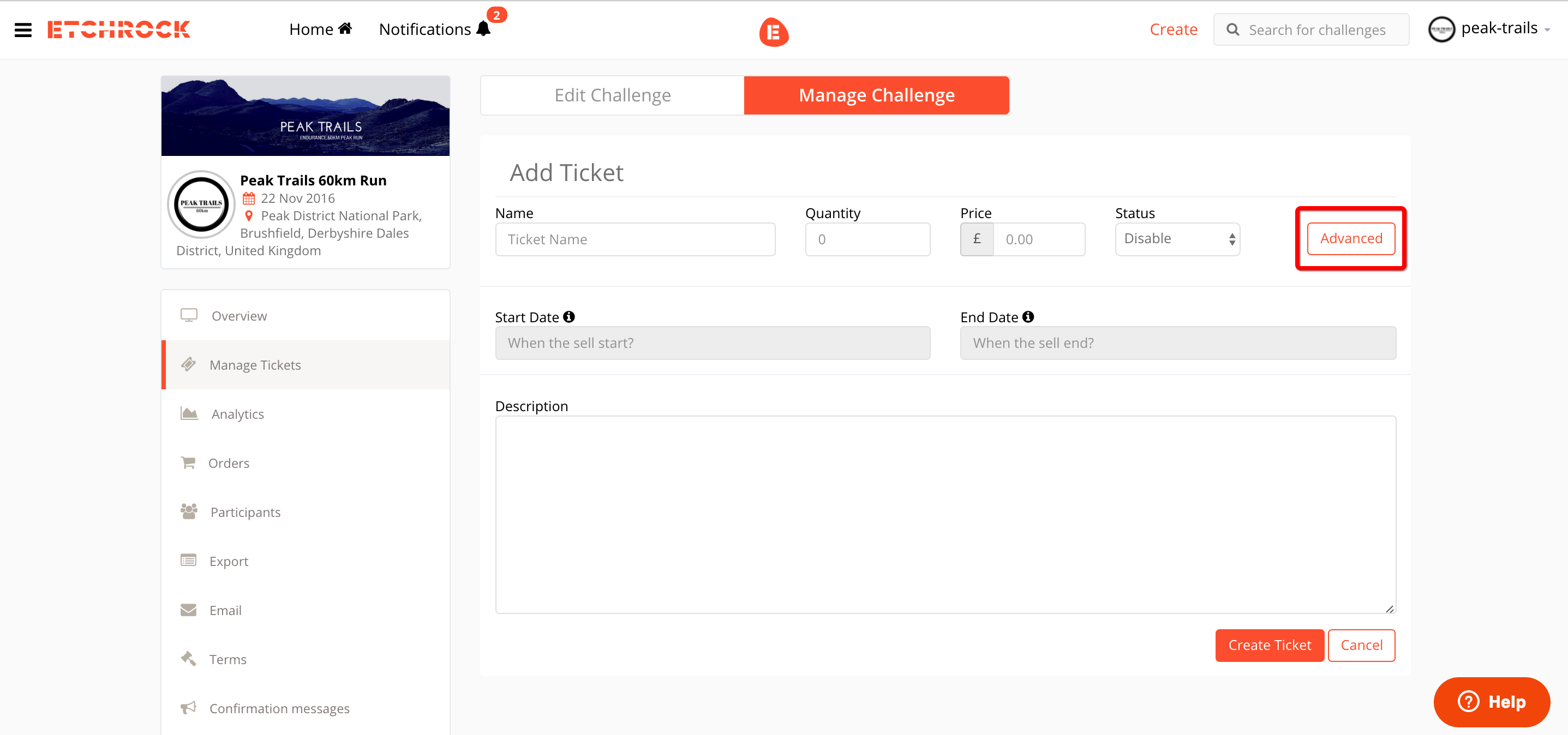
From here, you can add different types of ticket. For example, a kids or adult ticket can be set at different prices as well as different distances for your event. You can also set different quantities that you want to make available, pricing options, start & end date of sales and also provide a description for your customers.
Step 8
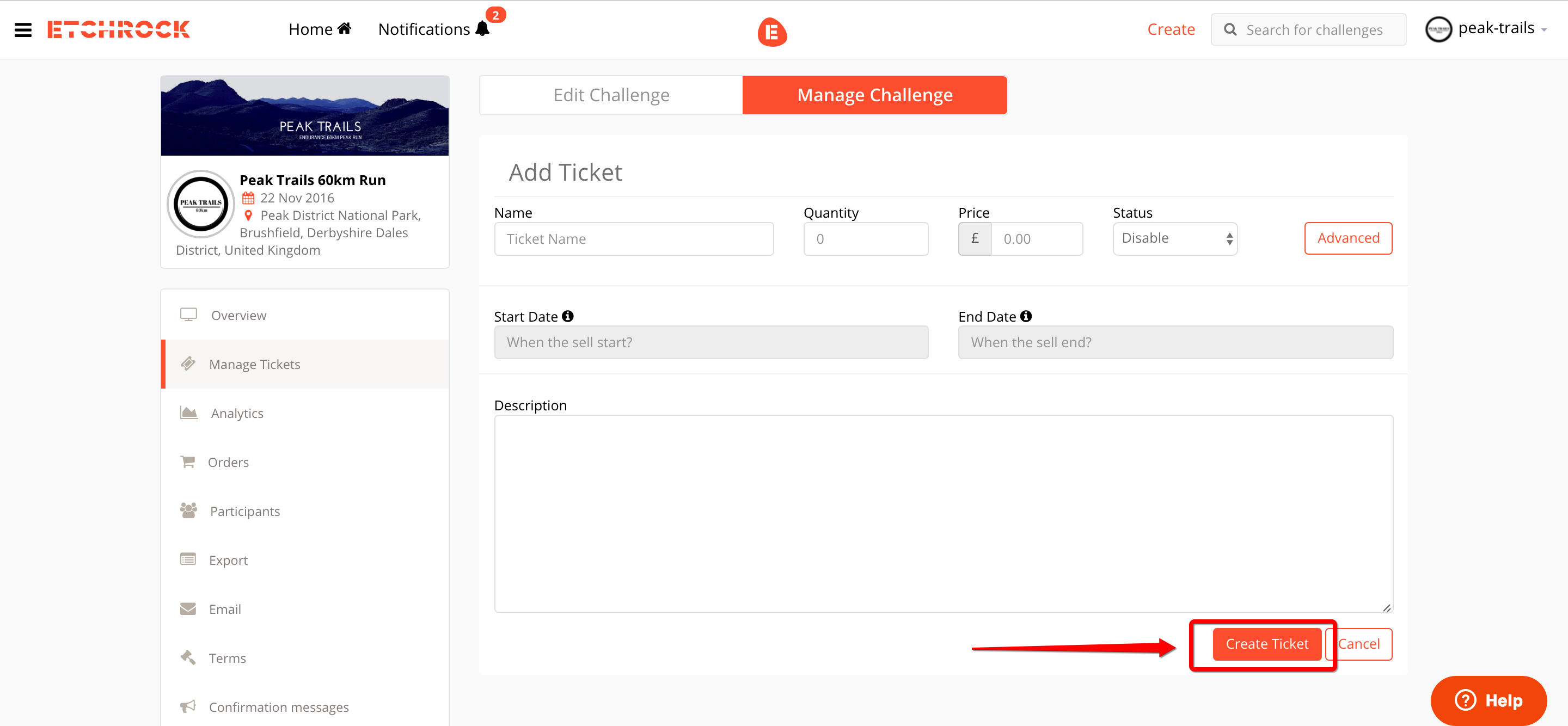
Once you have entered the information, select 'Create Ticket' at the bottom of the page. You can repeat this process for all the different types that you may have
Comments
0 comments
Please sign in to leave a comment.