
How to defer a ticket
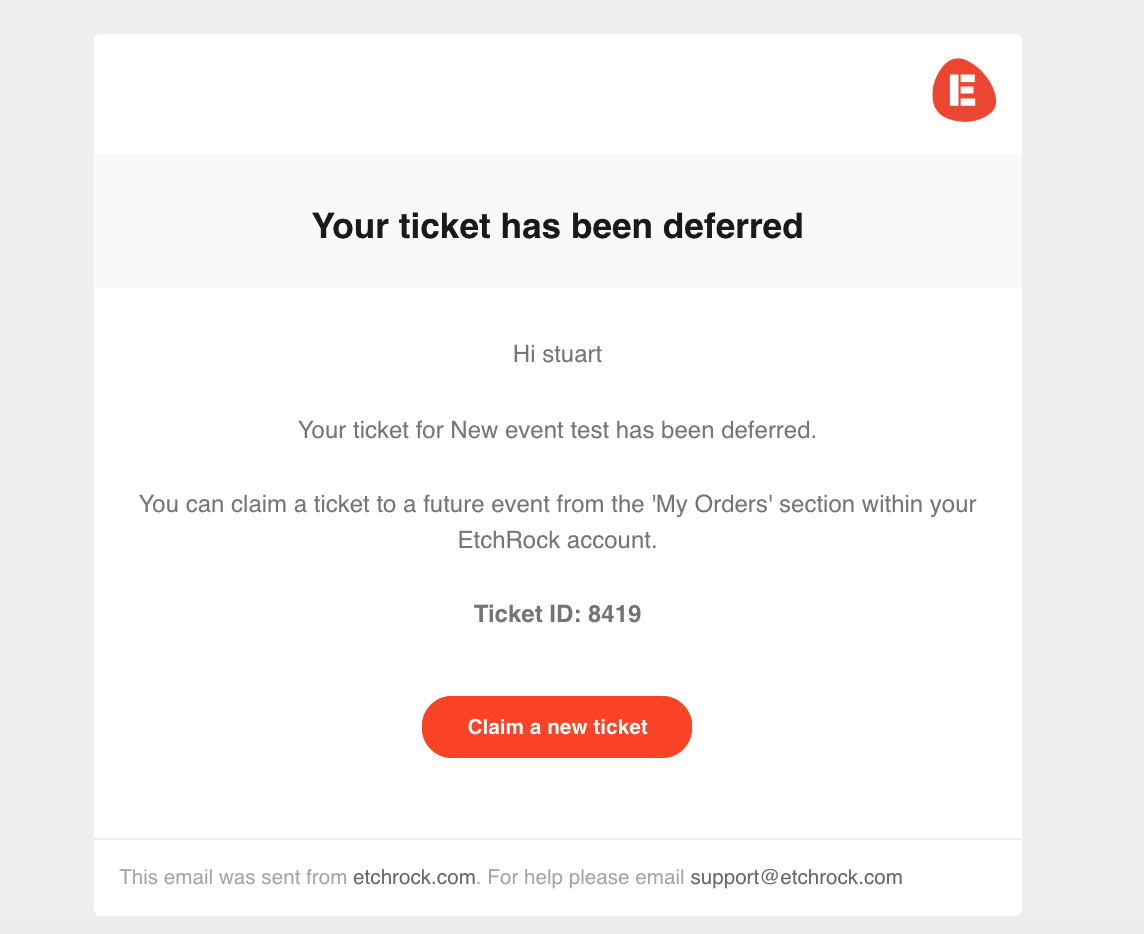
Deferring a ticket will send an email to the participant letting them know their ticket has been deferred. Within the participants EtchRock account they will be able to then claim a ticket to a future event. The below guide explains how to defer a participants ticket. You can also enable deferrals within your policy settings which will allow participants to defer their own tickets should they wish to.
Note: If the ticket a participant claims costs more than the original, then we will charge the difference.
Exporting deferrals
When a participant is deferred their ticket is cancelled. If you want to export cancelled tickets and see the status of any deferrals you can do this by exporting the below information. This is found within the participant export.
- First Name
- Last Name
- Ticket ID
- Order ID
- Order ticket deferred - This column will show 'deferred' if it has been deferred or will be blank if it is not a deferral.
- Deferral claimed order ID - This column will show as blank if not a deferral, an order ID if it is a deferral where the participant has claimed a ticket and 'Not claimed' if it is a deferral where the participant has not yet claimed a ticket.
- Order ticket deferred by - This column indicates who deferred the ticket, it will be blank if not a deferral, show 'Organiser' if deferred by the event organiser and show 'Participant' if deferred by the participant.
- Order ticket deferred date - This column shows the date the ticket was deferred. It will remain blank if the ticket is not deferred.
Deferring a ticket
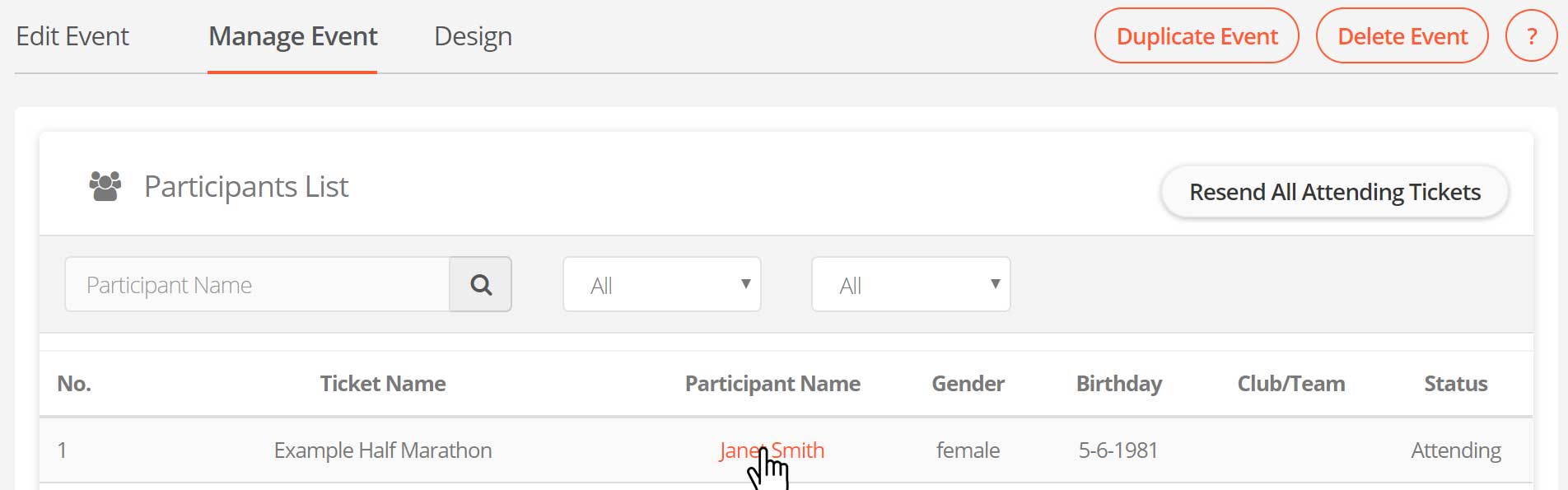
Step 1 - First navigate to the participant you wish to defer by clicking on their name in the participants table, within the participants tab.
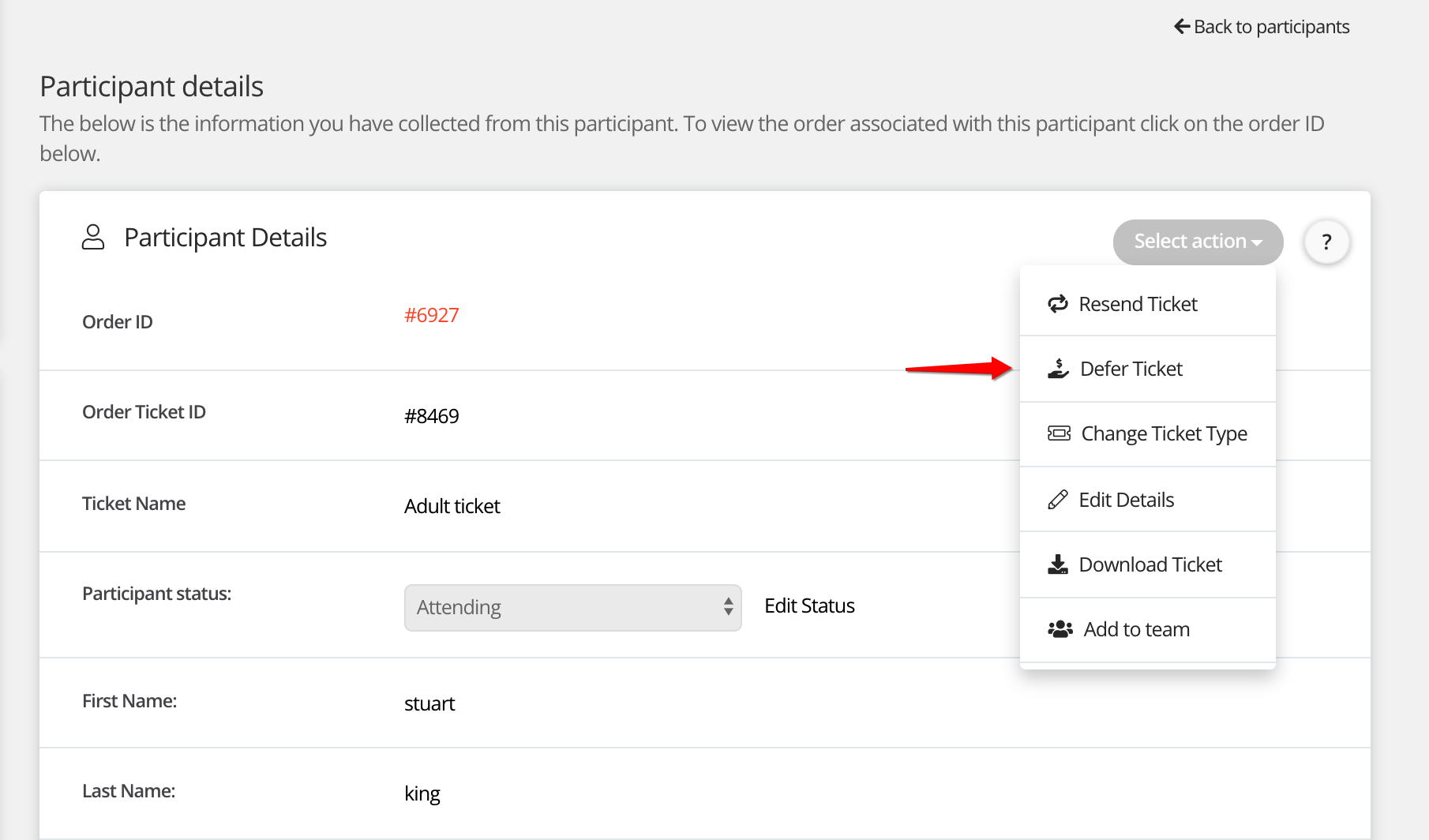
Step 2 - Hover over 'select action' and then click 'Defer ticket'
Thats it, we will send the participant an email with a link to claim a new ticket.
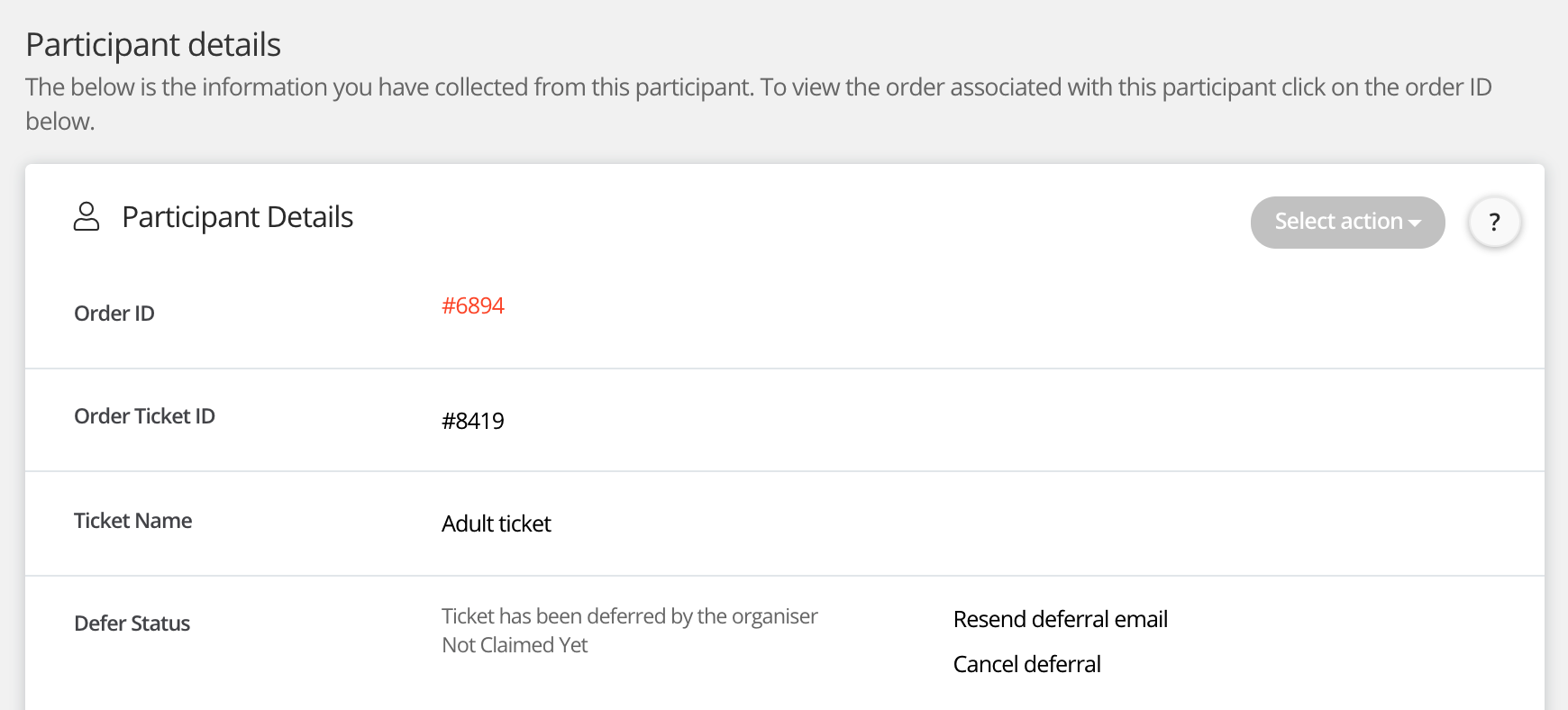
Cancelling a deferral
You can also cancel the deferral which will prevent the participant from claiming a new ticket. As well as resending the deferral email.
For help please email support@etchrock.com
Comments
0 comments
Article is closed for comments.