
Cancelling a participants ticket
To cancel a participants ticket you need to edit the participants status. Each participants will have one of the below three statuses.
- Attending
- Not Attending (cancelled/refunded)
- Checked in
Attending - This participant has a ticket to your event
Not Attending (cancelled/refunded) - This person had a ticket which has been cancelled. There are a number of reasons why a ticket might be showing as cancelled. (Participant guide - Why is my ticket showing as cancelled?)
Checked In - You have checked the participant in to your event using the EtchRock check-in tool.
Note: If you wish to refund the participant then you are able to cancel a ticket as part of the refund process. Processing a refund
How to edit a participants Status
Step 1 - Navigate to you participants table [manage event > manage participants > participants]
Step 2 - Click on the name of the participants that you wish to view and edit.
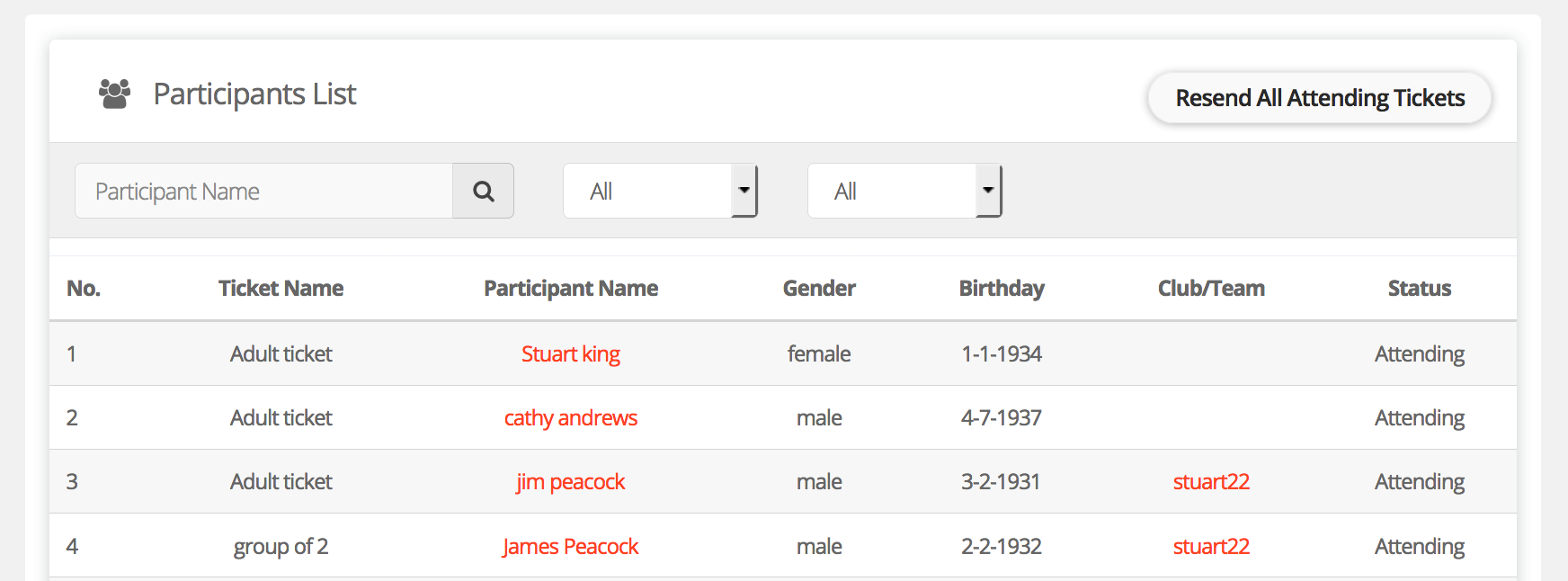
Step 3 - Click 'Edit Status'
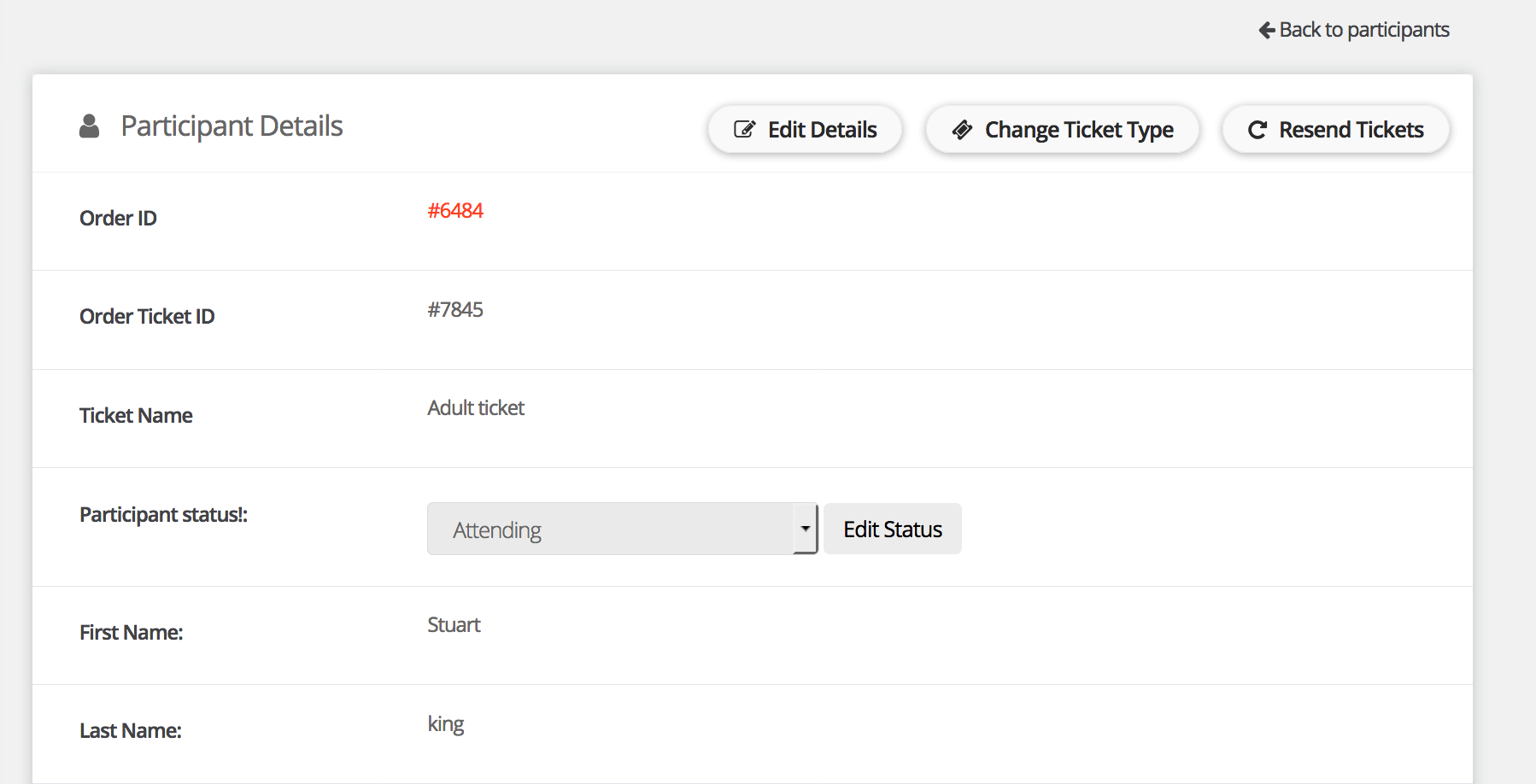
Step 4 - Select 'Cancelled/refunded.
That's it, the participants ticket will now show as cancelled within their account. The participant will also be removed from the participant export list. Please not this does not send out any communication to the participant.
For help please email support@etchrock.com
Comments
0 comments
Article is closed for comments.