
Processing a refund
You are able to process a full refund or a partial refund. As part of the refund process you can cancel tickets and merchandise. If you want to cancel tickets or merchandise without issuing a refund please read the below articles.
Event Organiser - Cancel a ticket
How to process a refund
Step 1 - Go to the 'Manage Event' section, then from the menu on the left select 'Manage Participants' & then 'Orders'. Here you will see a table listing all of the orders for your event.
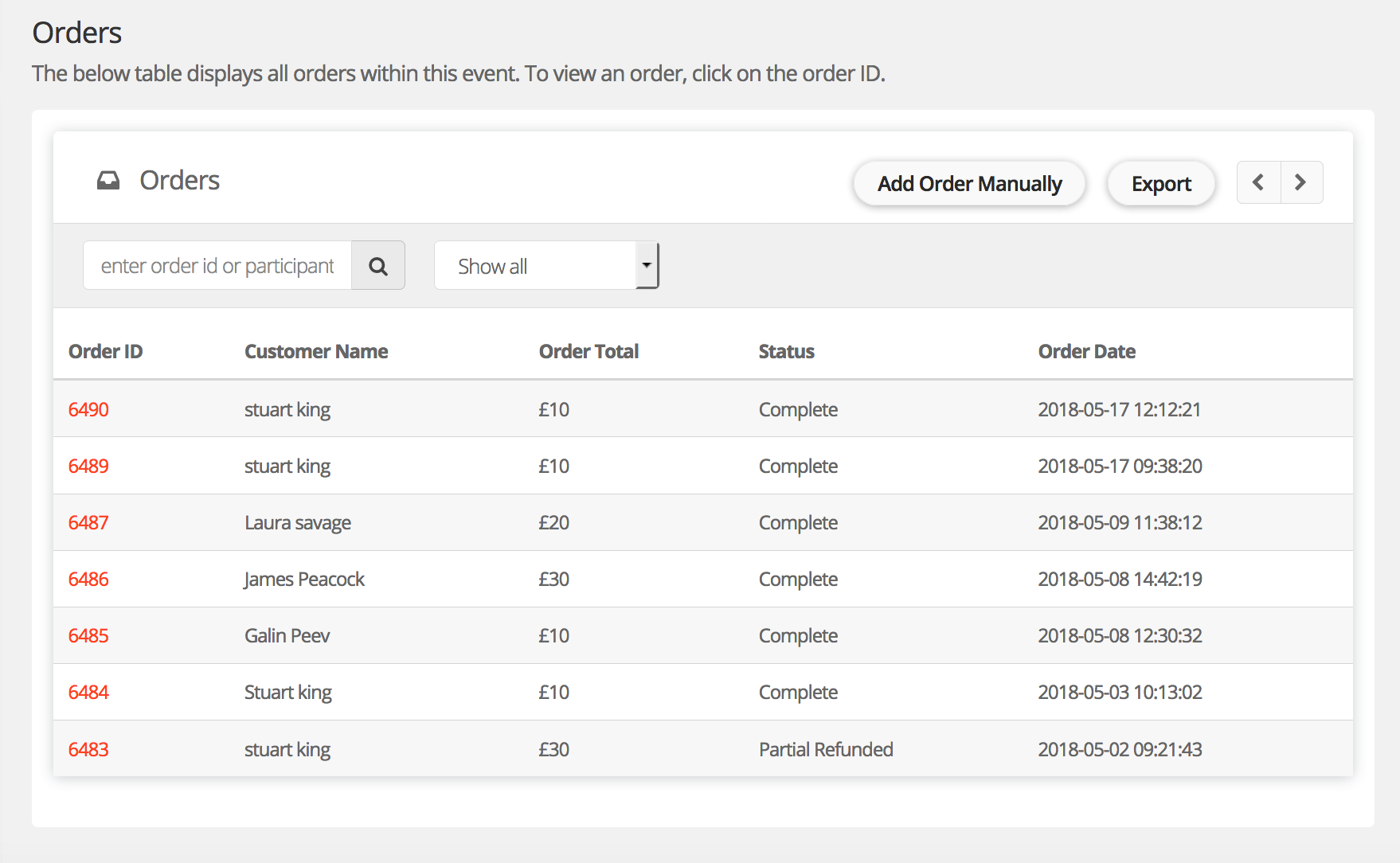
Step 2 - Click on the order ID of the order you wish to refund. This will open the order page and show all details of the order.
Step 3 - Click "refund".
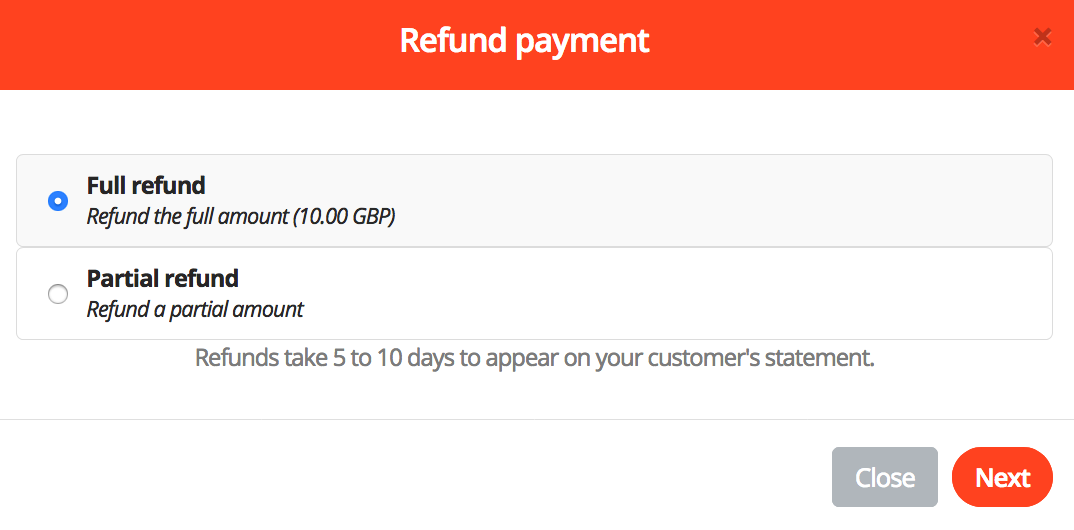
Step 4 - Select 'Full refund' or 'Partial refund'.
Step 5 - Select any tickets and merchandise you wish to cancel as part of the refund process. Write an optional message to the person you are refunding. The message will be displayed within the refund confirmation email.
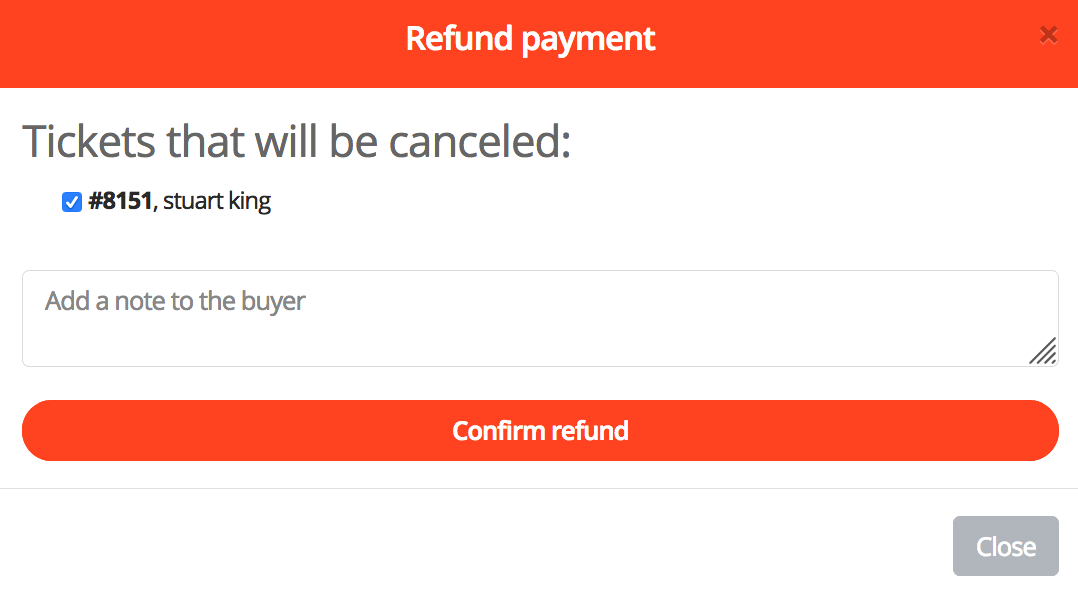
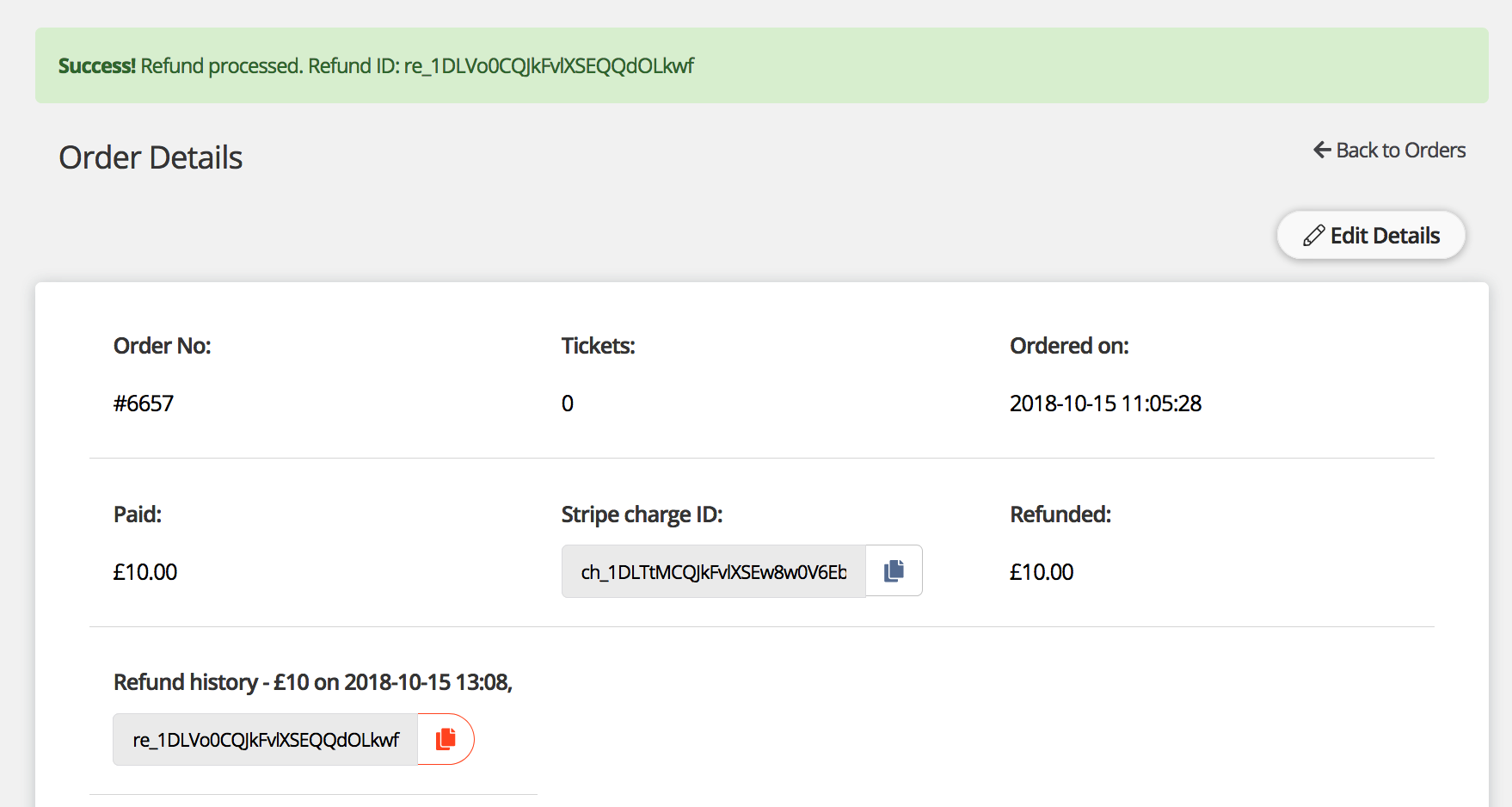
Step 6 - Click 'Confirm refund'. That's it, you'll see a success massage confirming that the refund has been processed. The refund ID will be displayed on the orders page.
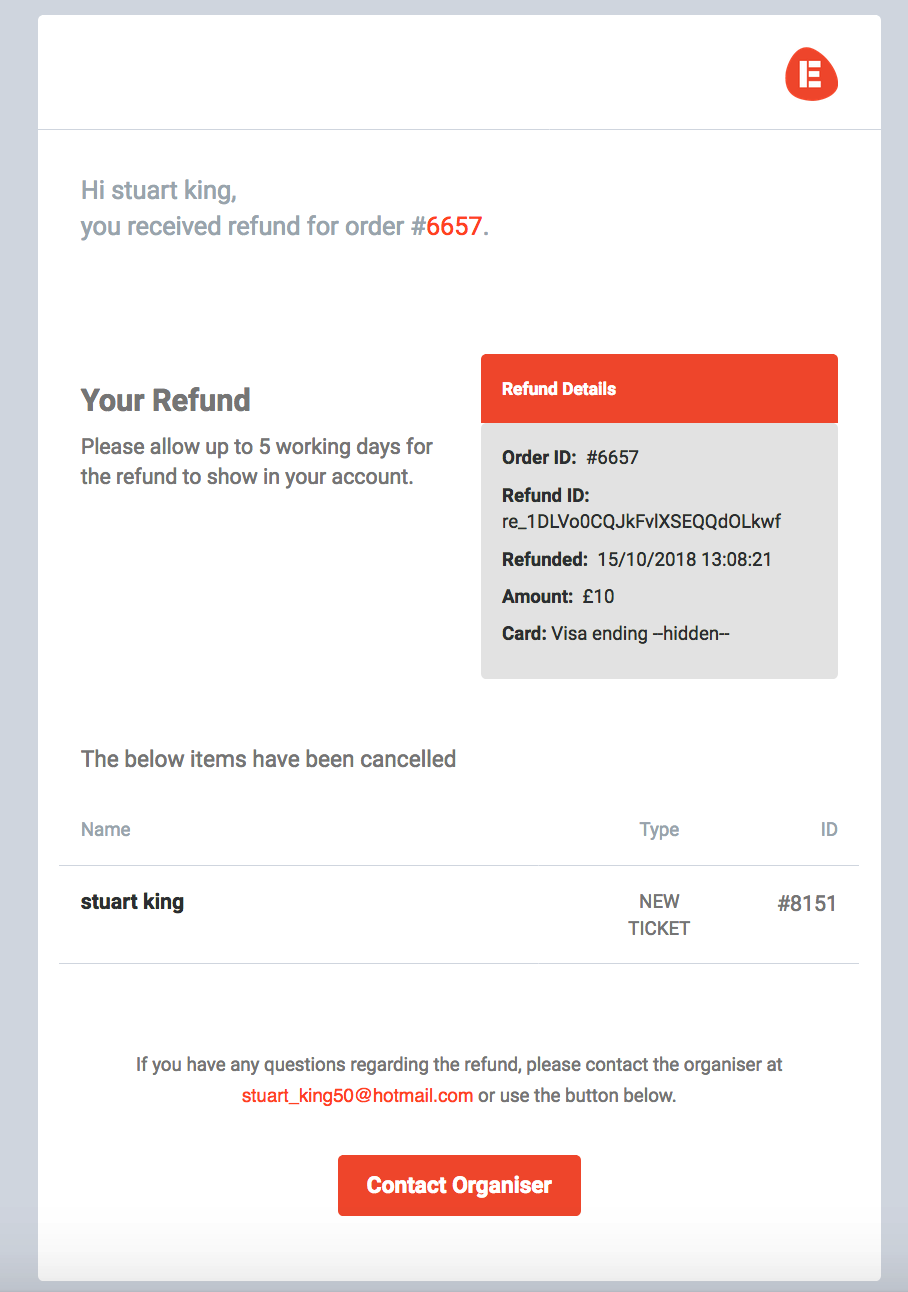
Below is an example of a refund confirmation email that the buyer will receive.
For help please email support@etchrock.com
Comments
0 comments
Please sign in to leave a comment.