
Adding a manual order
You have the option to add an order manually. When adding an order you can add multiple tickets within one order. You will need the details of each participant that you are adding. The below article details how to add an order manually.
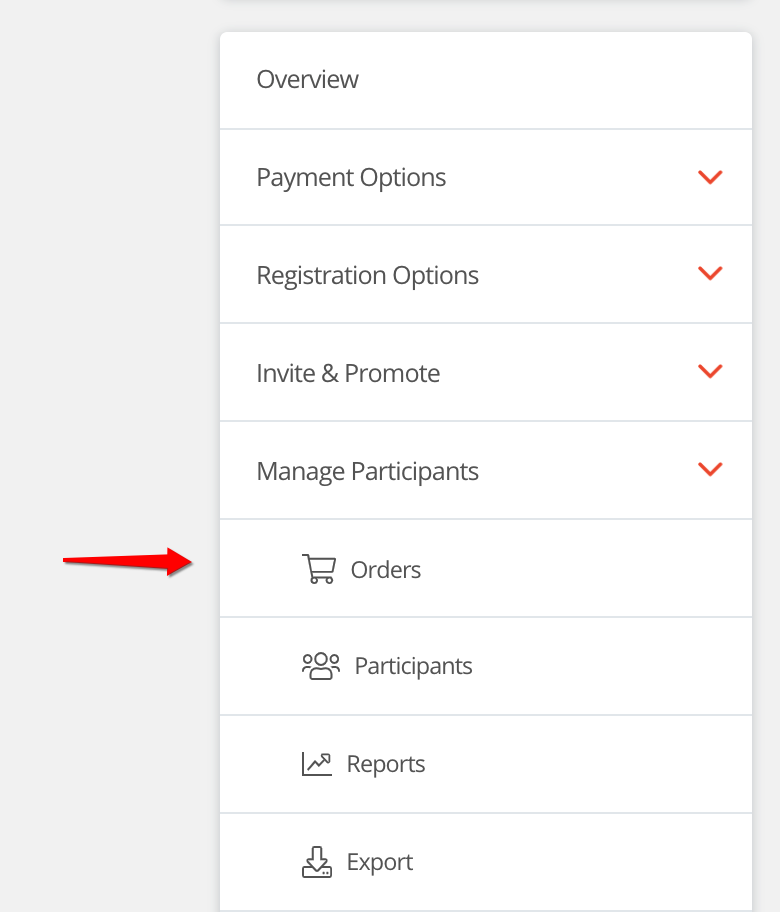
Step 1 - Navigate to the orders table within your event. (Manage participants > Orders)
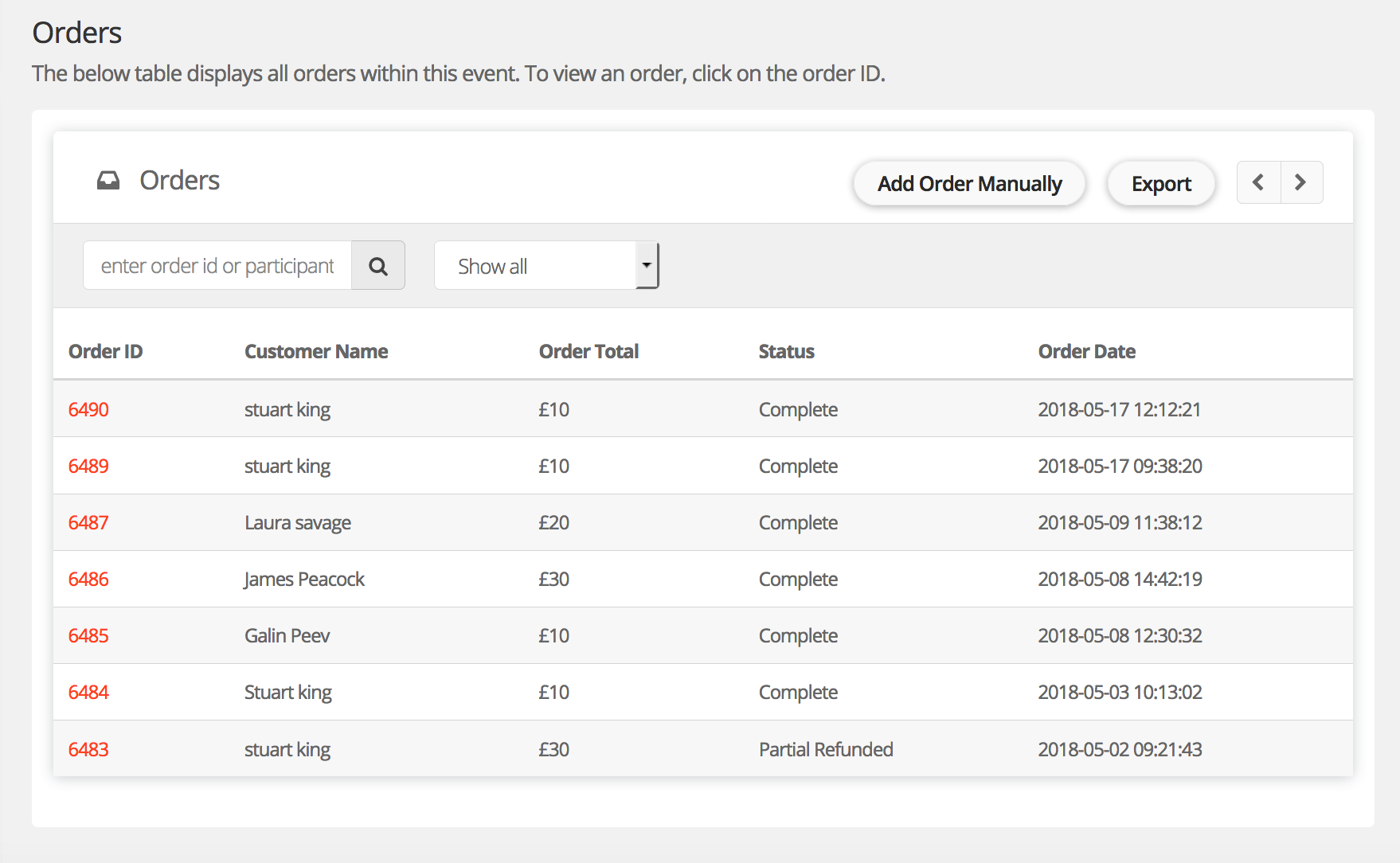
Step 2 - Click 'Add Order Manually'
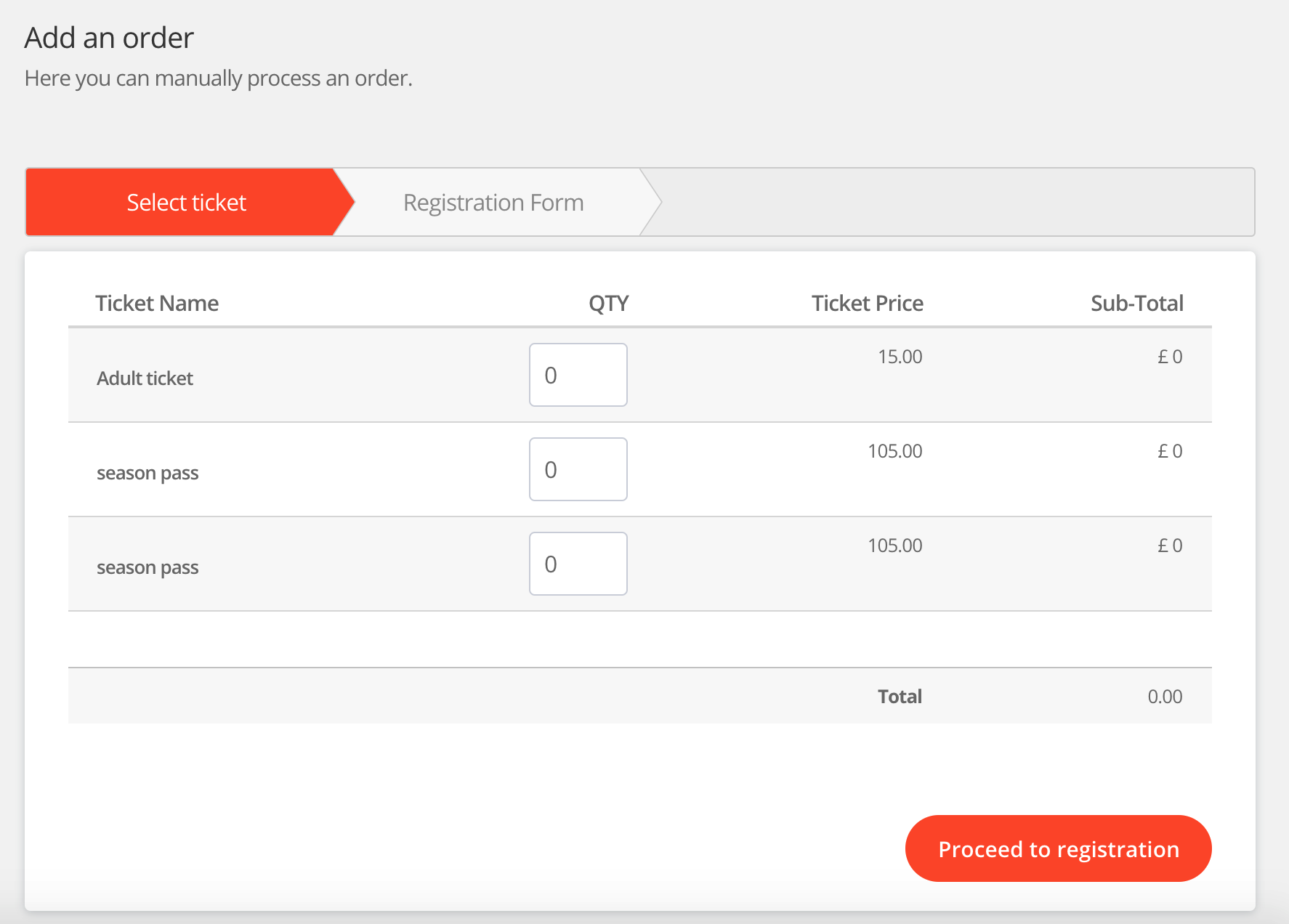
Step 3 - Select the tickets you would like to add
Step 4 - Complete the registration form. At the bottom of the registration form tick the box to send an order confirmation and tickets to the participants.
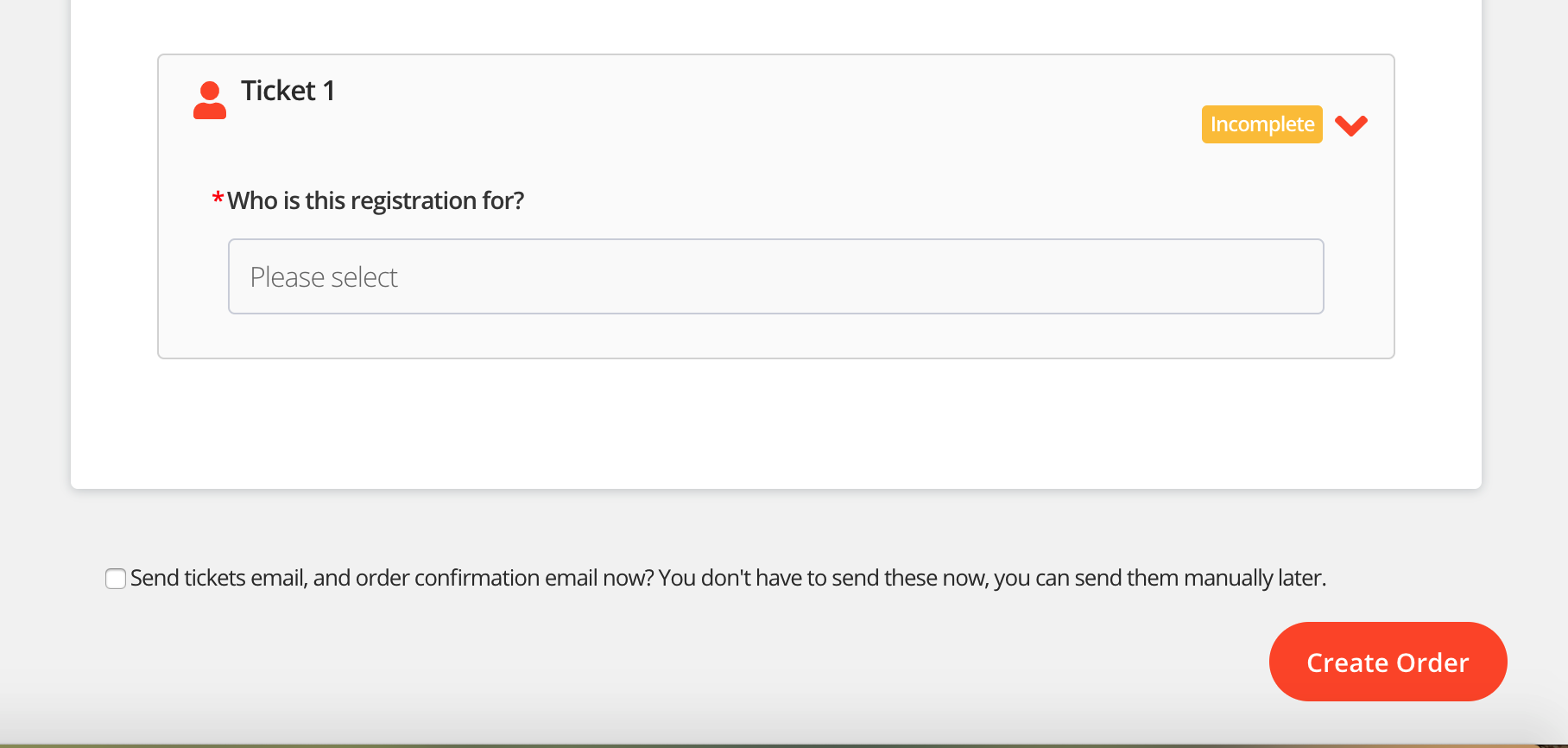
That's it, the order will show within your orders table and the participants will be added to your participant list.
For help please email support@etchrock.com
Comments
0 comments
Article is closed for comments.