
Step 1
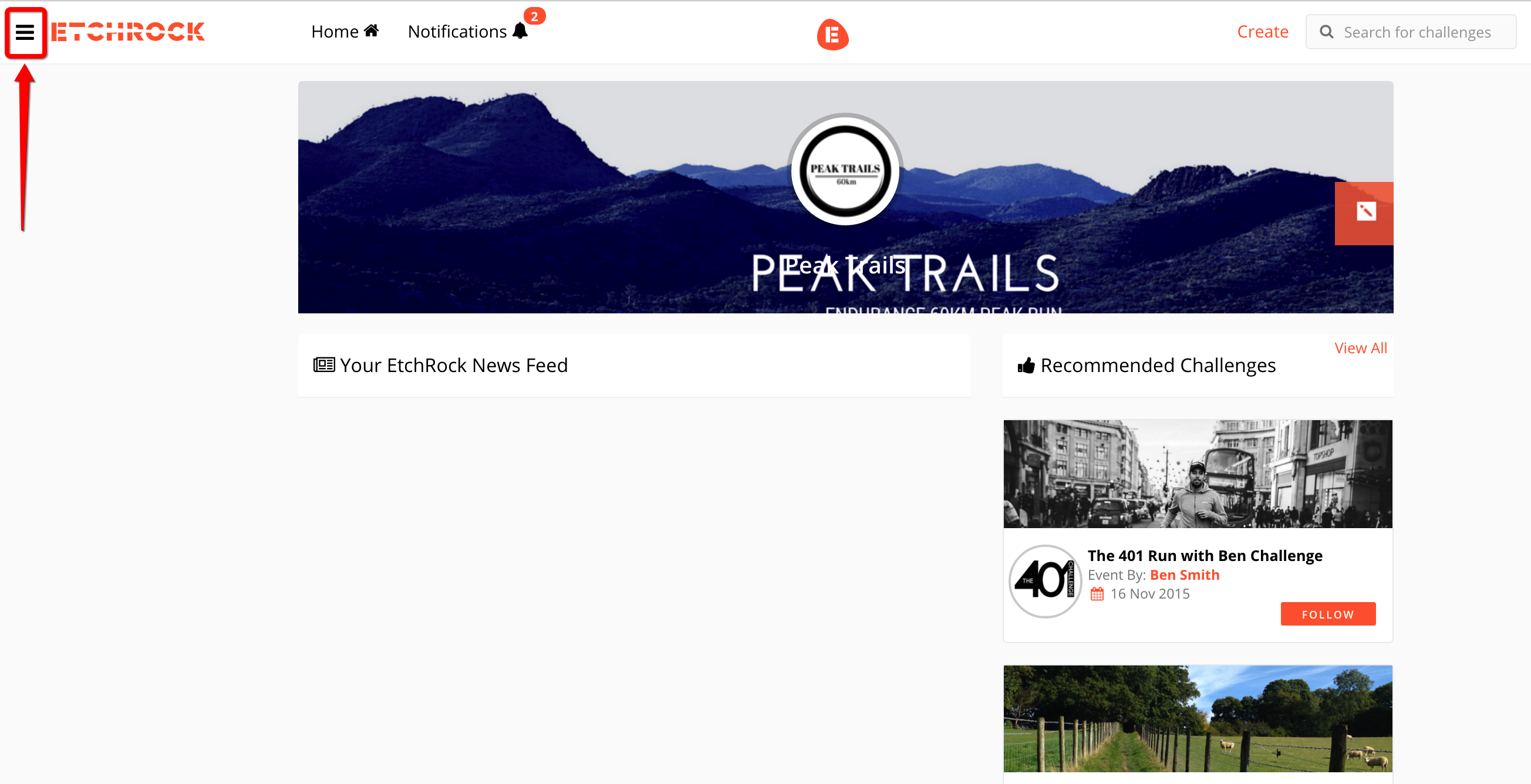
Select the menu button button from the top left hand corner
Step 2
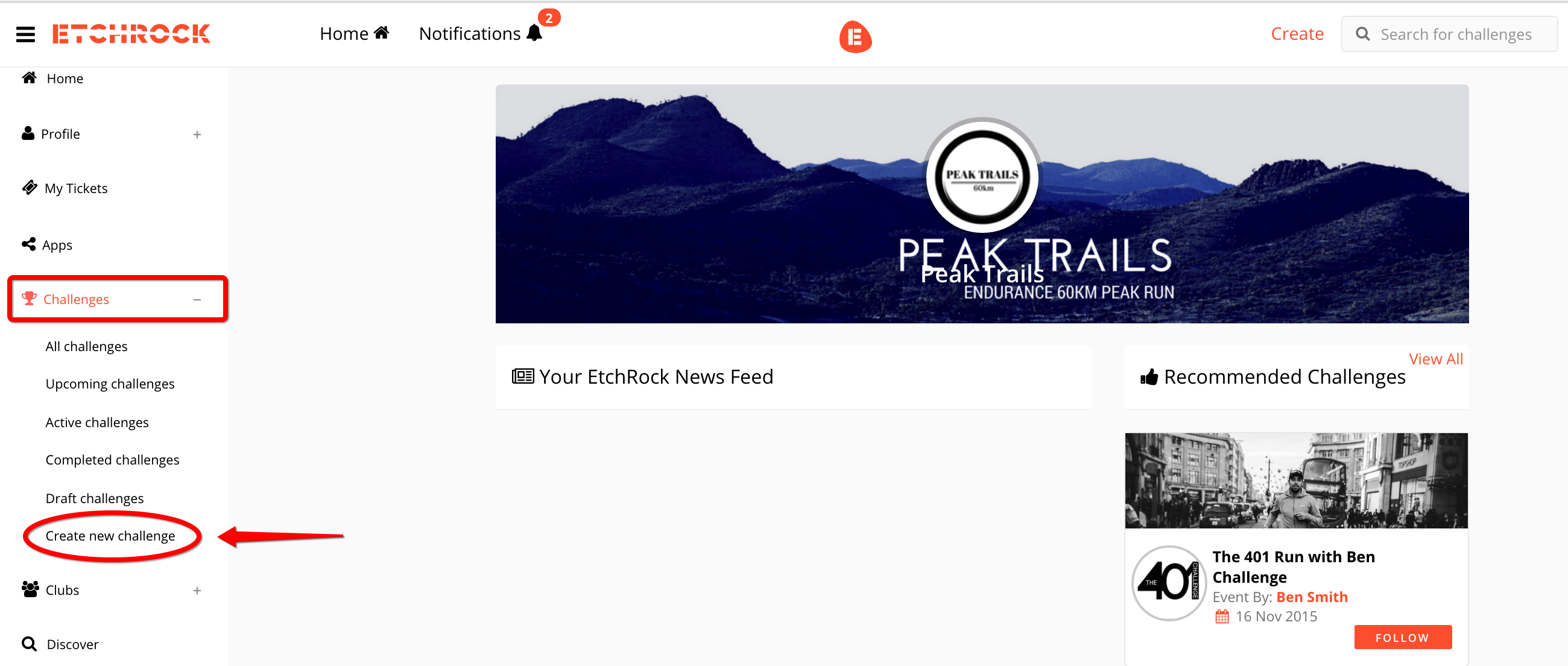
Select the 'Challenges' button from the drop down menu and then 'Create a new challenge'
Step 3
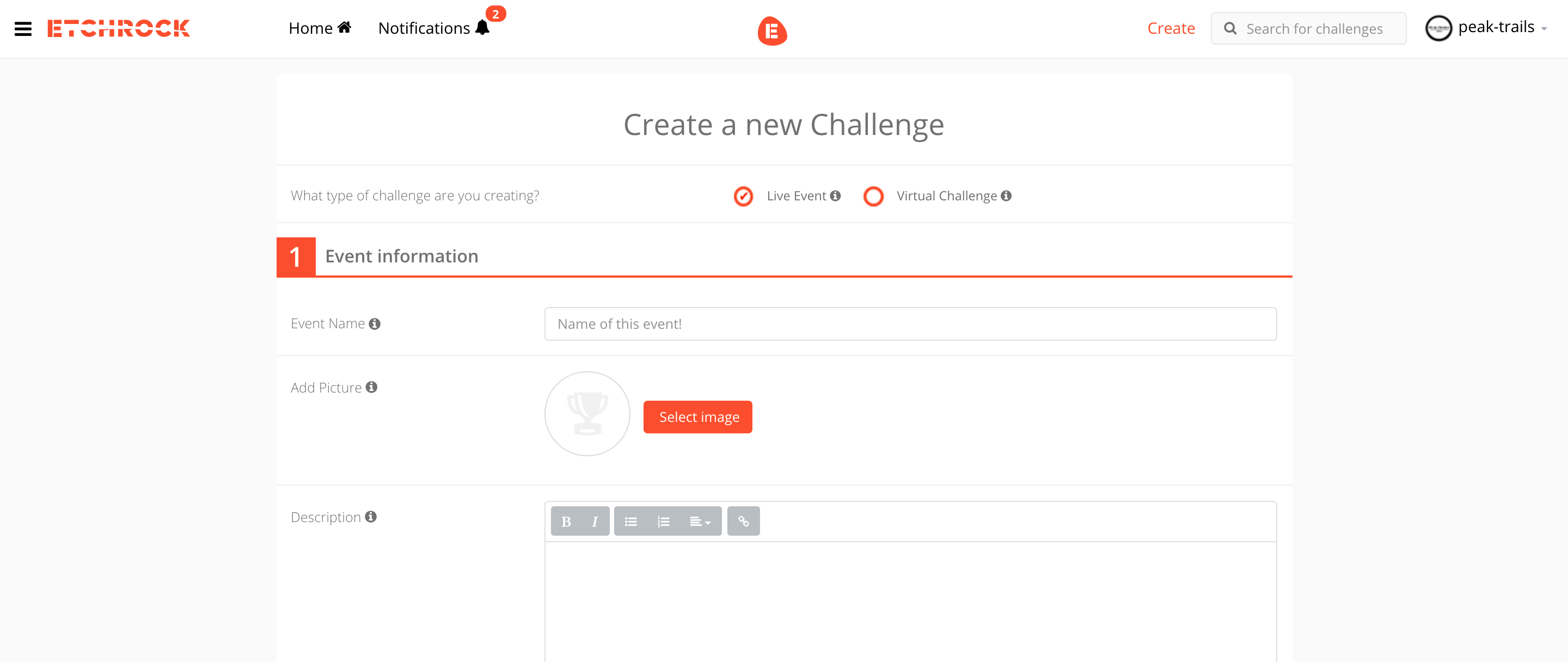
Fill in the relevant fields on the page and select 'Create Event' at the bottom of the page.
Step 4
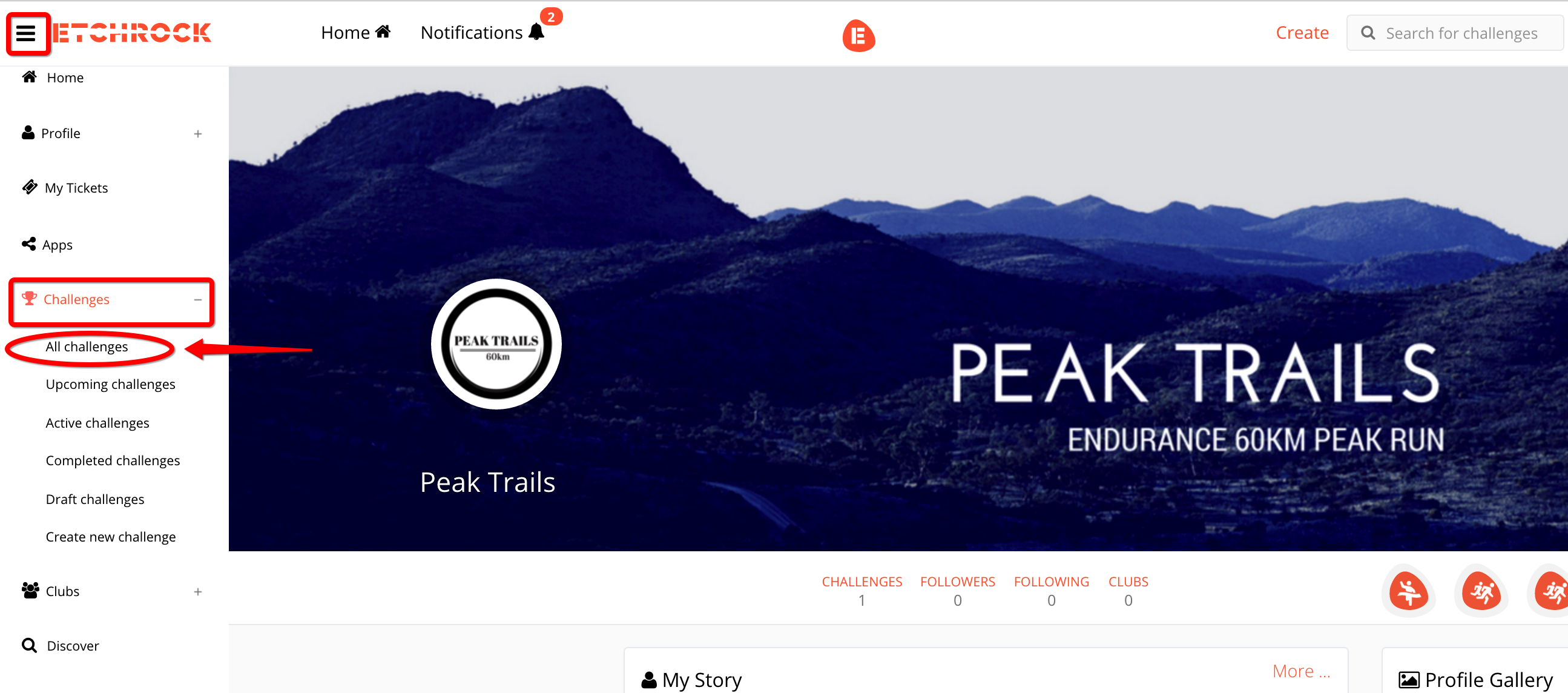
To manage your tickets, participants, merchandise & everything else to do with your event/race, you need to re-open the menu and select 'Challenges' again. Under the drop down menu, select 'All Challenges'.
Step 5
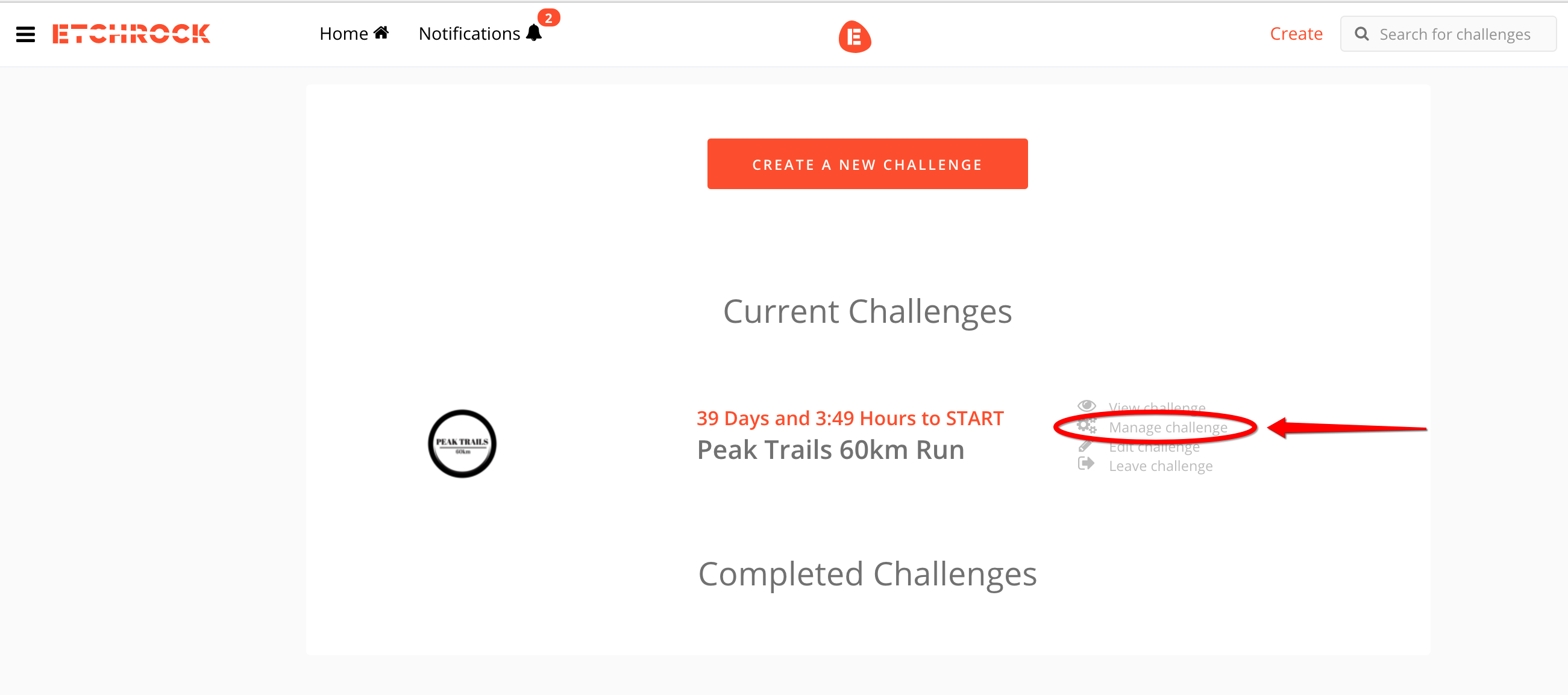
Your event/race should now appear on the screen. Select 'Manage Challenge'.
Step 6
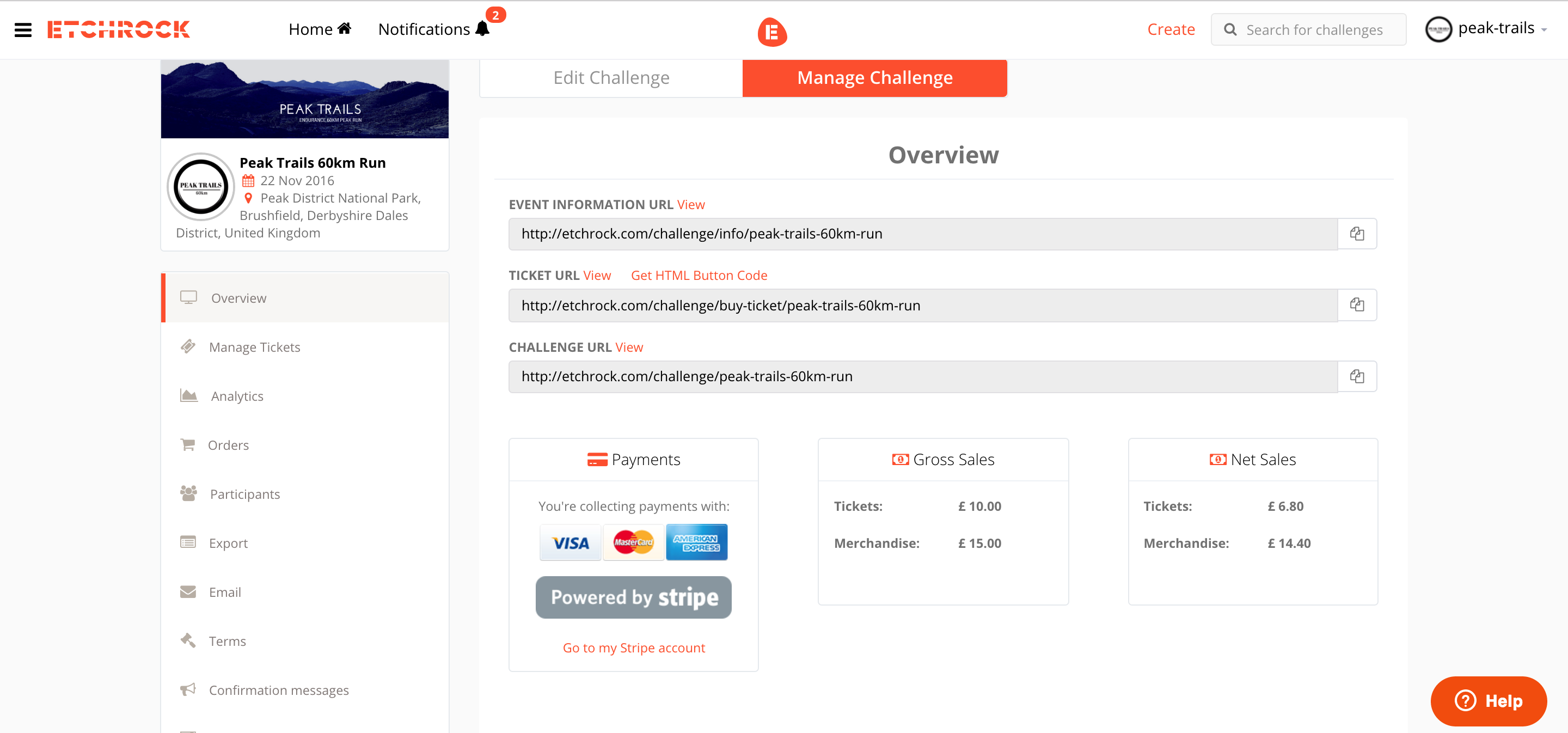
This page allows you to edit all features of your challenge. Check out some of our other guides under the 'Event Organiser Guides' section to get information about each different tab.
Comments
0 comments
Please sign in to leave a comment.