
Your event overview is designed to give you a snapshot of how your event is performing. It has a number of reports and charts which you are able to customise.
You are able to change the order in which they appear by dragging and dropping them into your prefered order. 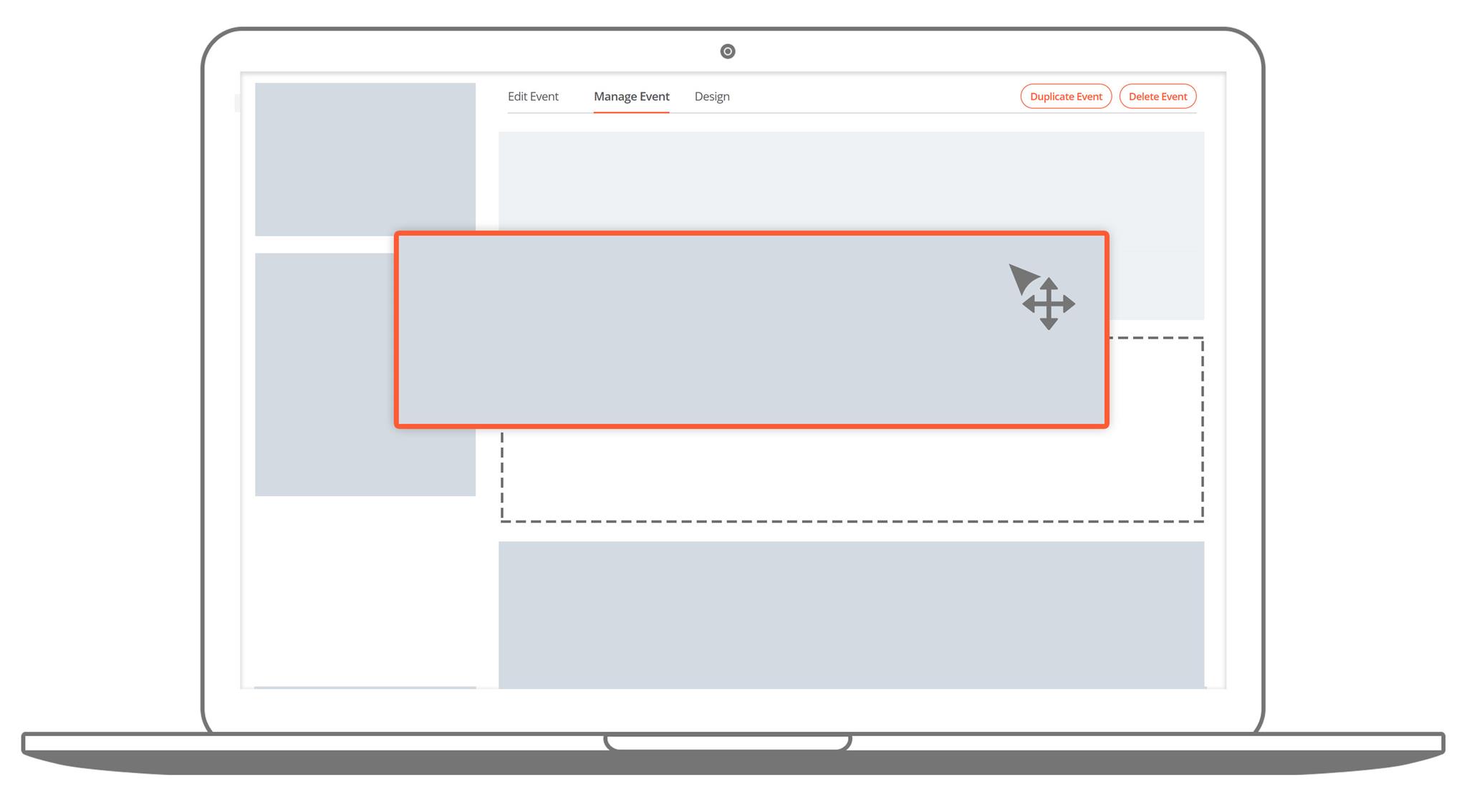
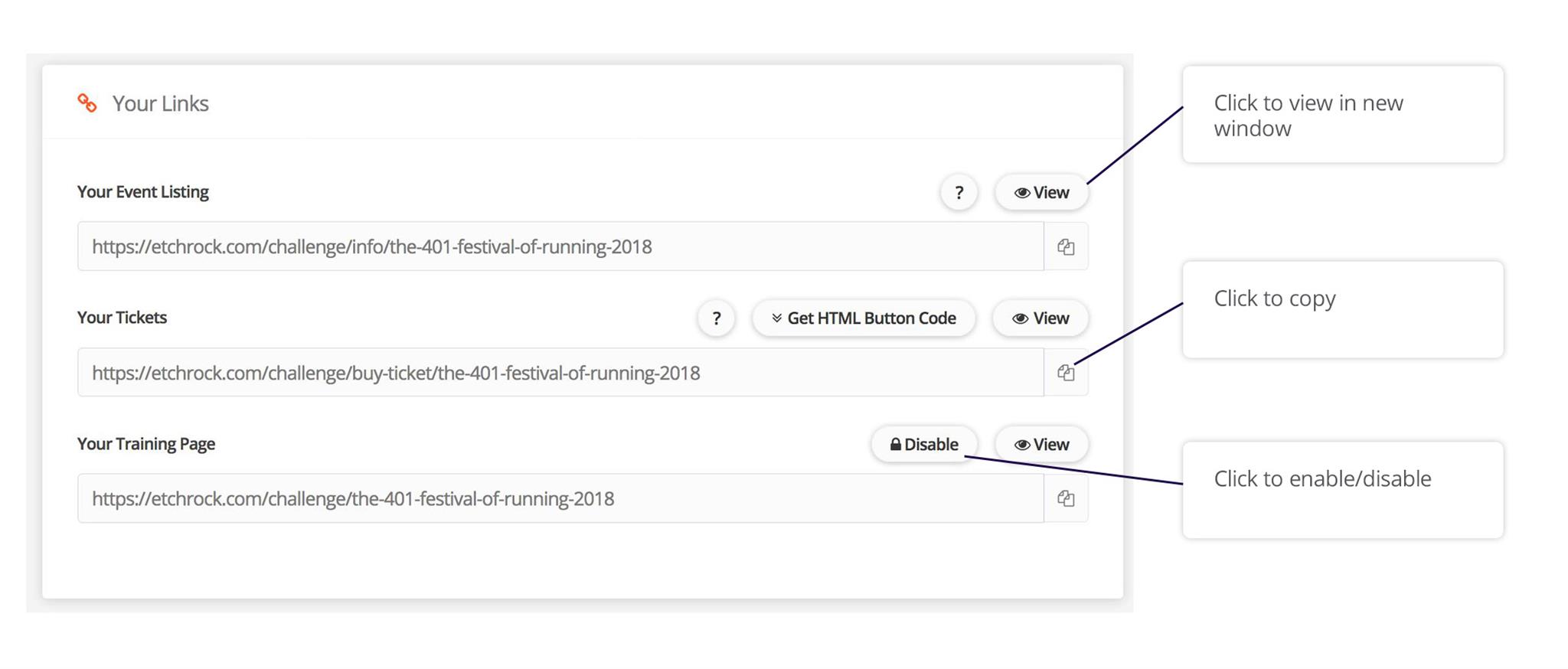
- Event listing
- Event tickets
- Training page
- Team registration
Financial summary
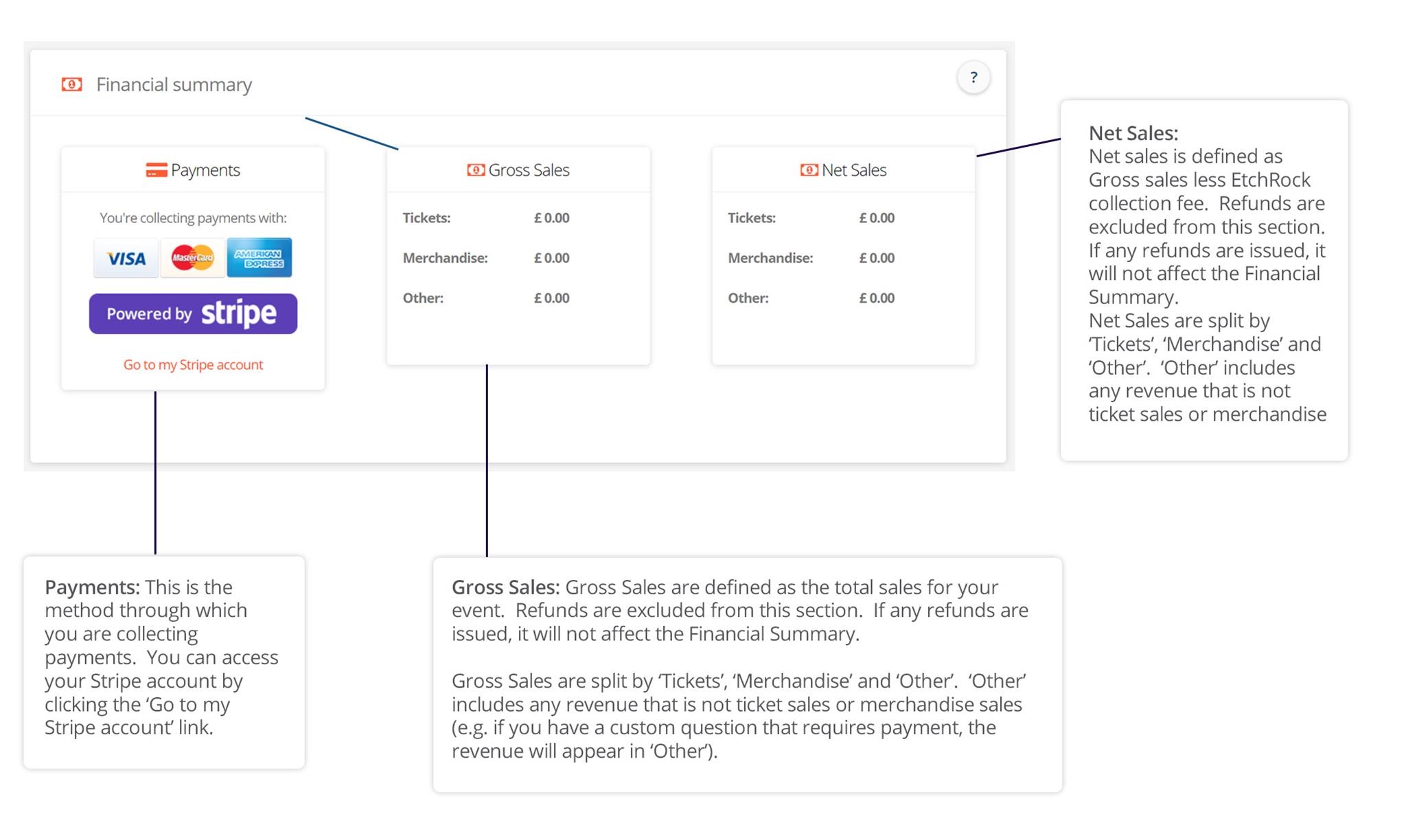
This provides information on how you are collecting payments and details your gross and net sales figures.
Sales Summary
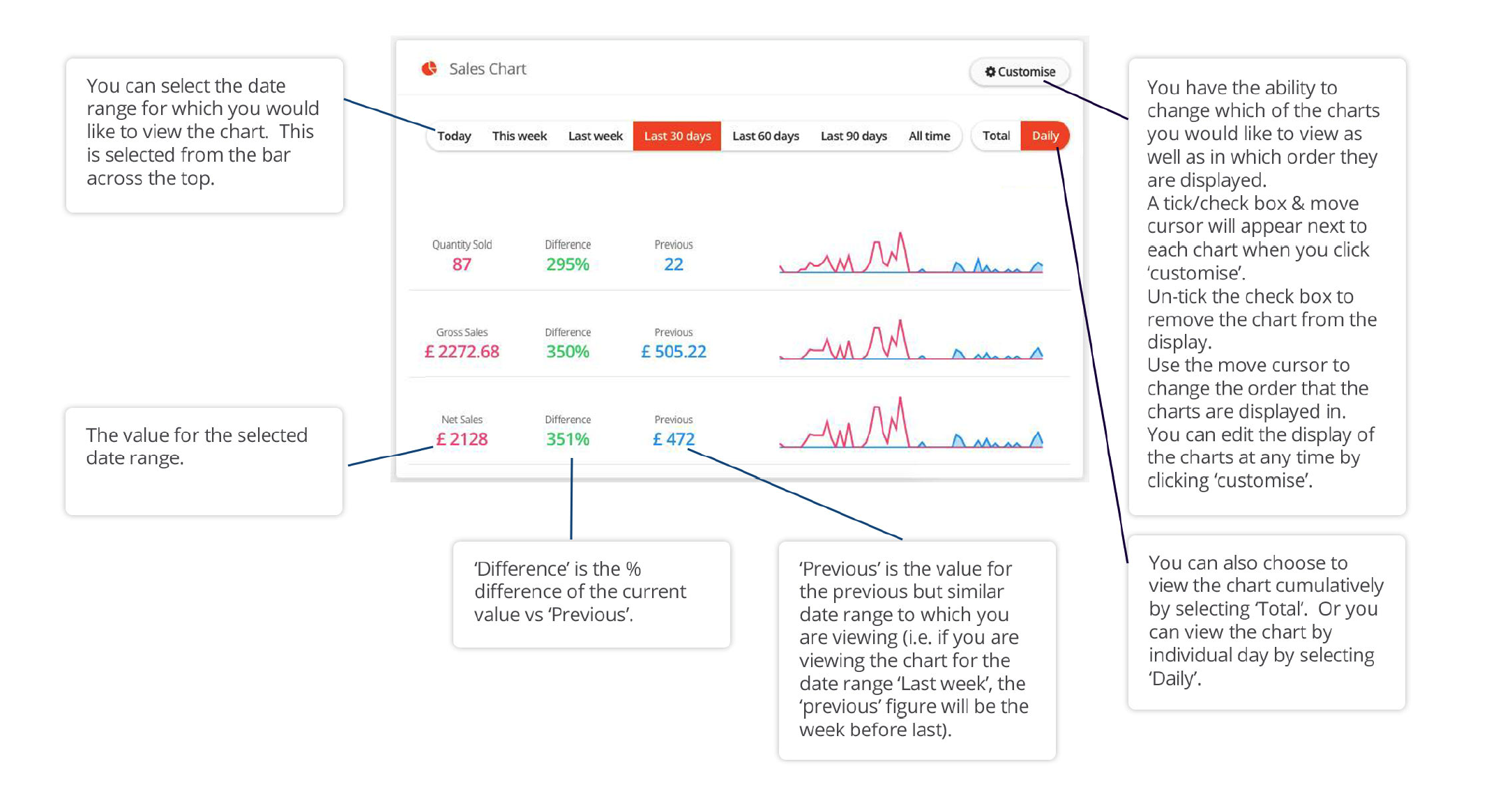
Your sales charts provide a snapshot of how sales are performing on specific date ranges and displays a comparison to the previous period. The difference is shown as a percentage increase/decrease.
Ticket sales summary
This provides a snapshot of how individual tickets are performing. If you have enabled 'register and pay later' it will also display the number of reserved tickets.
All tickets summary
This provides a snapshot of how all of your ticket sales are performing.
Comments
0 comments
Article is closed for comments.