
When creating a custom question for your event registration you can save this as a 'favourite' and then access this question within your other events. The benefit to using favourite questions across your events is that when a participant transfers from one event to another, their answers to these questions will be transferred over.
Note: You'll need to have the question added within both events for the participants data to be copied over.
Saving a question as a favourite
When creating a custom question within an event, you can save it as a favourite. This will allow you to access the question within other events.
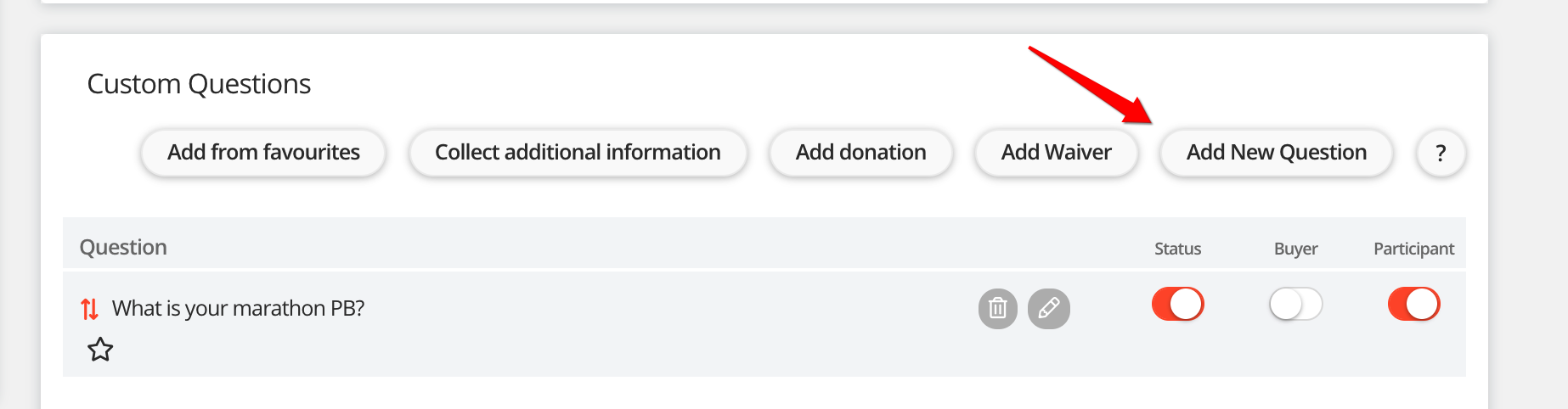
Step 1 - Click 'Add new question'
Step 2 - Tick the box 'Favourite question'
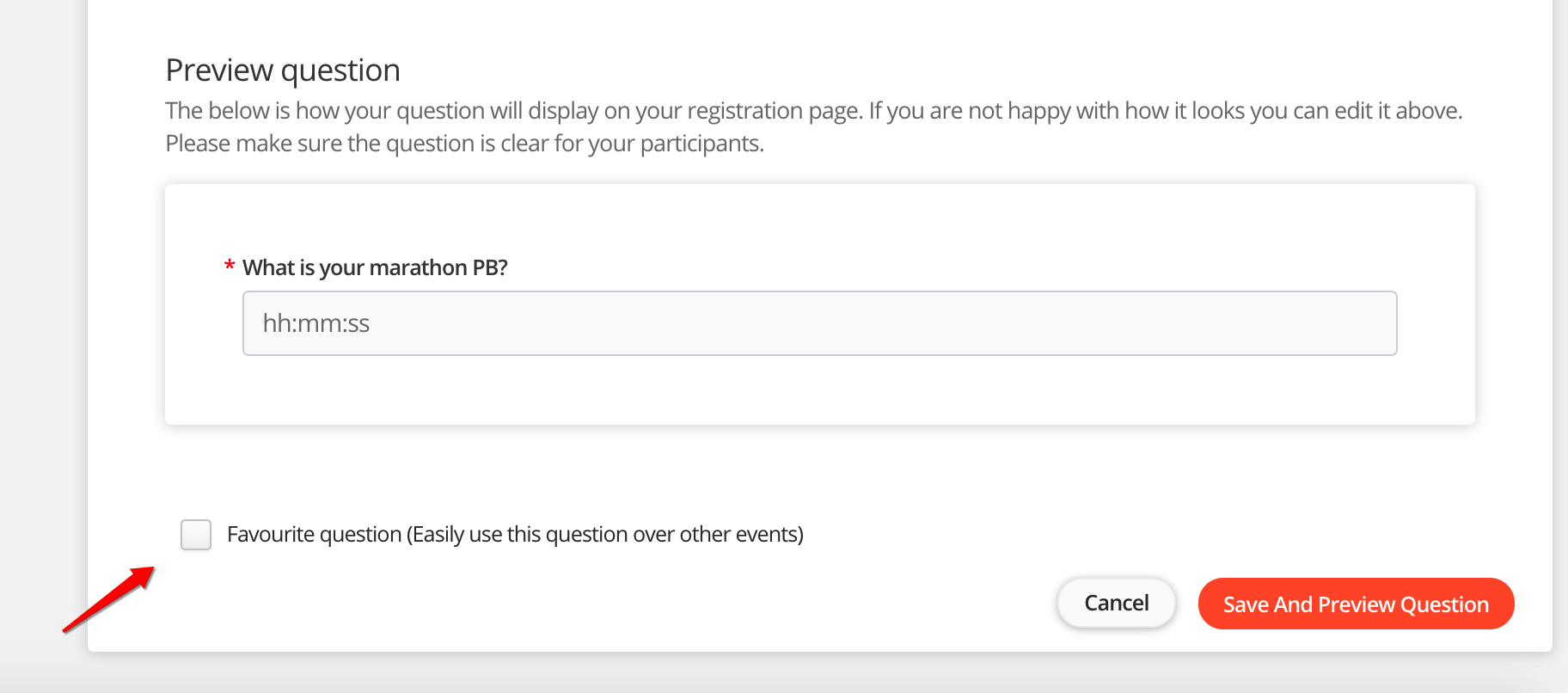
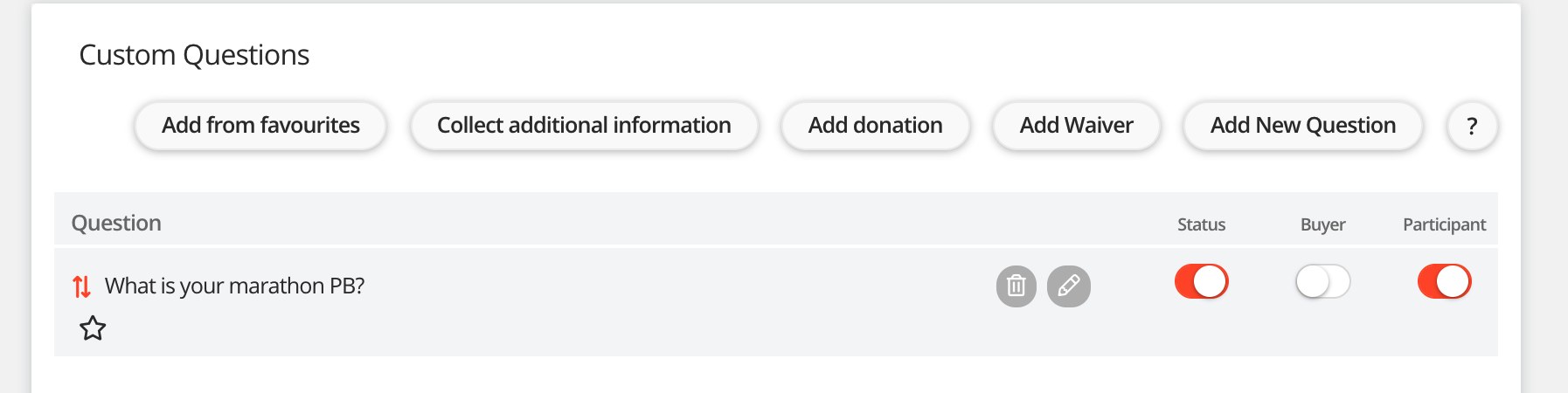
That's it, you'll now be able to access this question within your 'favourite list' in your other events. You'll see a star next to the question indicating that this is from your favourite list.
Adding a question from your favourites
Adding a question to your event registration from your list of favourites will allow you to transfer participants from one event to another, whilst ensuring you don't lose any of their data.
Step 1 - Click 'Add from favourites'

Step 2 - Select the question(s) you would like to add and then click 'Add questions'.
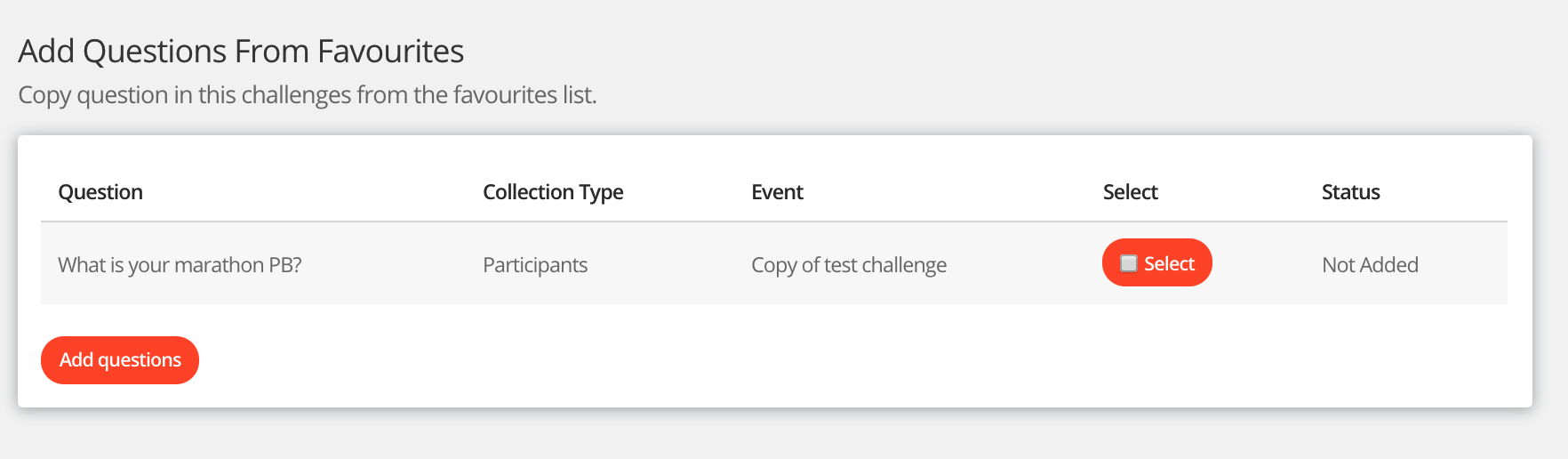
That's it, you'll now see the question within your event registration.
For help please email support@etchrock.com
Comments
0 comments
Please sign in to leave a comment.