
Creating a linked question
You are able to create a question or series of questions that will only display if a previous question is answered in a certain way.
Example question: Would you like a T-shirt
Answer: Yes/No
If a particpant answers [Yes] show a secondary question. What size T-shirt would you like?
If a particpant answers [No] don't show a secondary question
How to create a linked question
Step 1 - Navigate to your registration form setup. Manage event > Registration options > Registration form. Then scroll down to 'Custom questions' and click 'Add New Question.
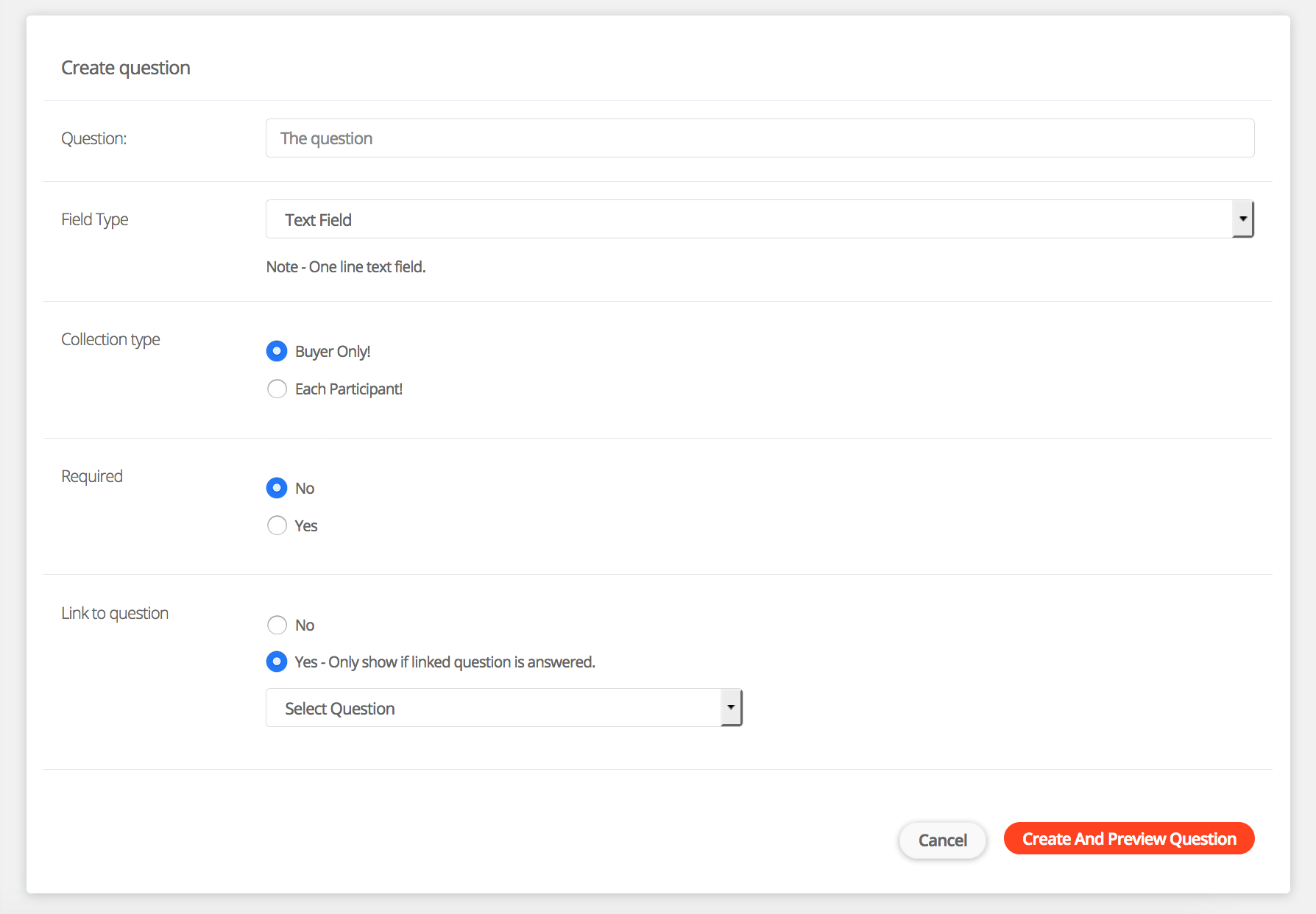
Step 2 - Under the heading 'Link to Question' select 'Yes'. A dropdown list will then appear. Select which question you would like to link this question to.
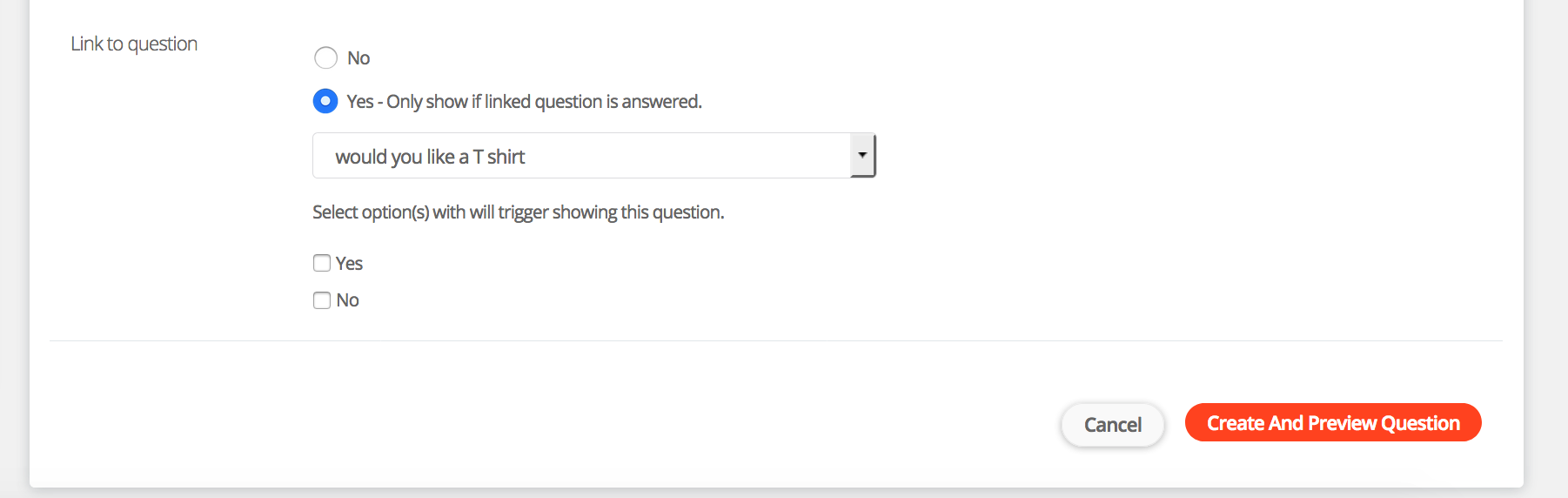
Step 3 - Once you have selected the question you would like to link to. You will then see the options availiablefor that question. Please select the options which you would like to apply this question to. If a participant select one of the selected options they will then see this linked question.
Step 4 - Complete the rest of the question setup and click save. You will then be able to preview your question.
For help please email support@etchrock.com
Comments
0 comments
Article is closed for comments.