
Submitting evidence for a virtual event
For some virtual events, organisers may require that you upload evidence to prove that you completed the event. This requires you to provide a link of your activity from the fitness device that you used (Strava, Garmin, Fitbit, Endomondo etc.) Please note, connecting a fitness app which syncs your activity to a challenge page or your profile is not the same or a valid substitution for submitting evidence.
How to edit & delete existing submissions
Honesty and evidence - Depending on how the event is setup, you may be able to submit either honesty submissions (which require no evidence), or evidence submissions (which require either a photo or activity link).
Please note: Evidence submissions can only be done via the EtchRock website, not on the EtchRock IOS or Android app.
How to submit evidence for a virtual event?
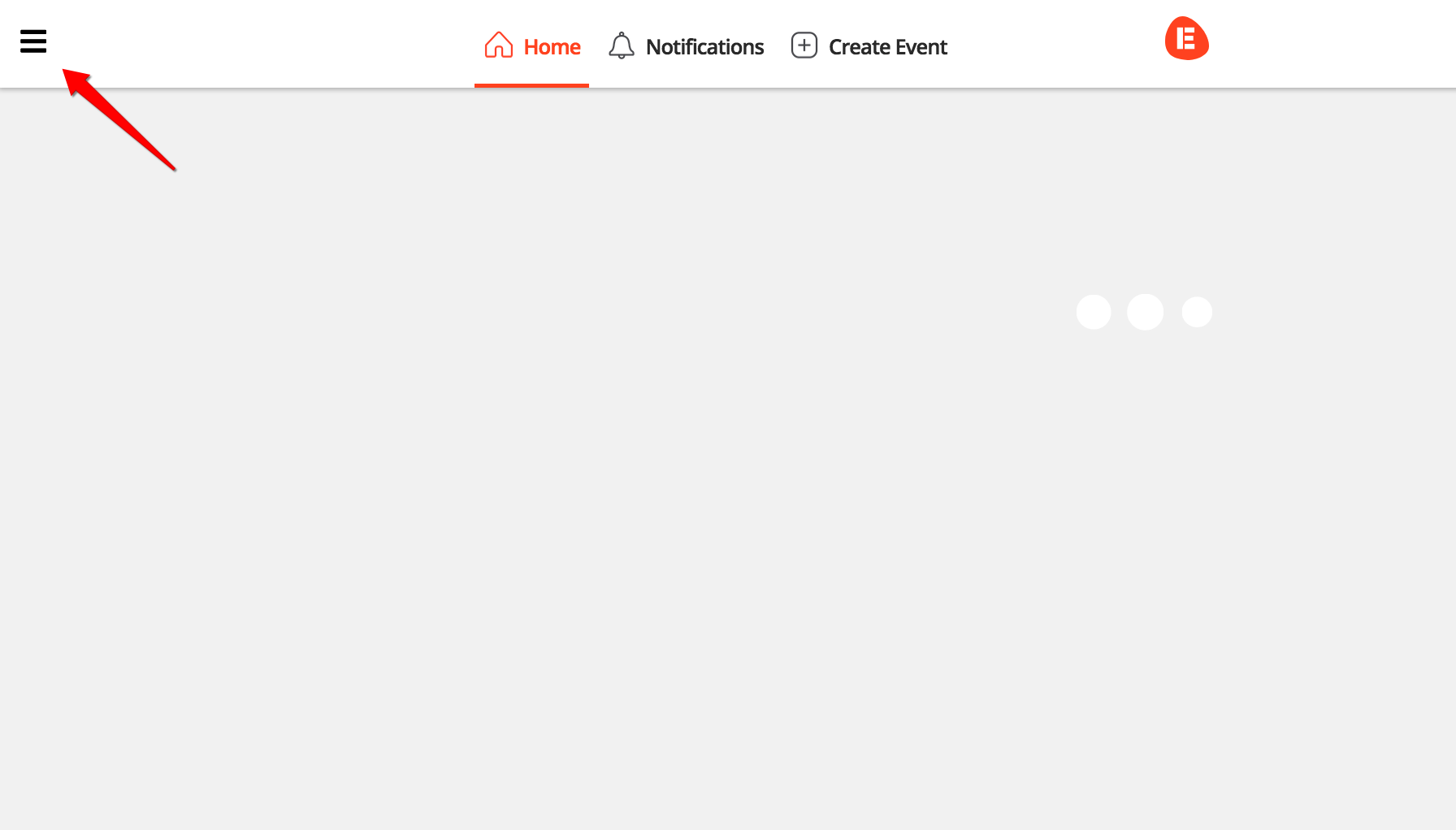
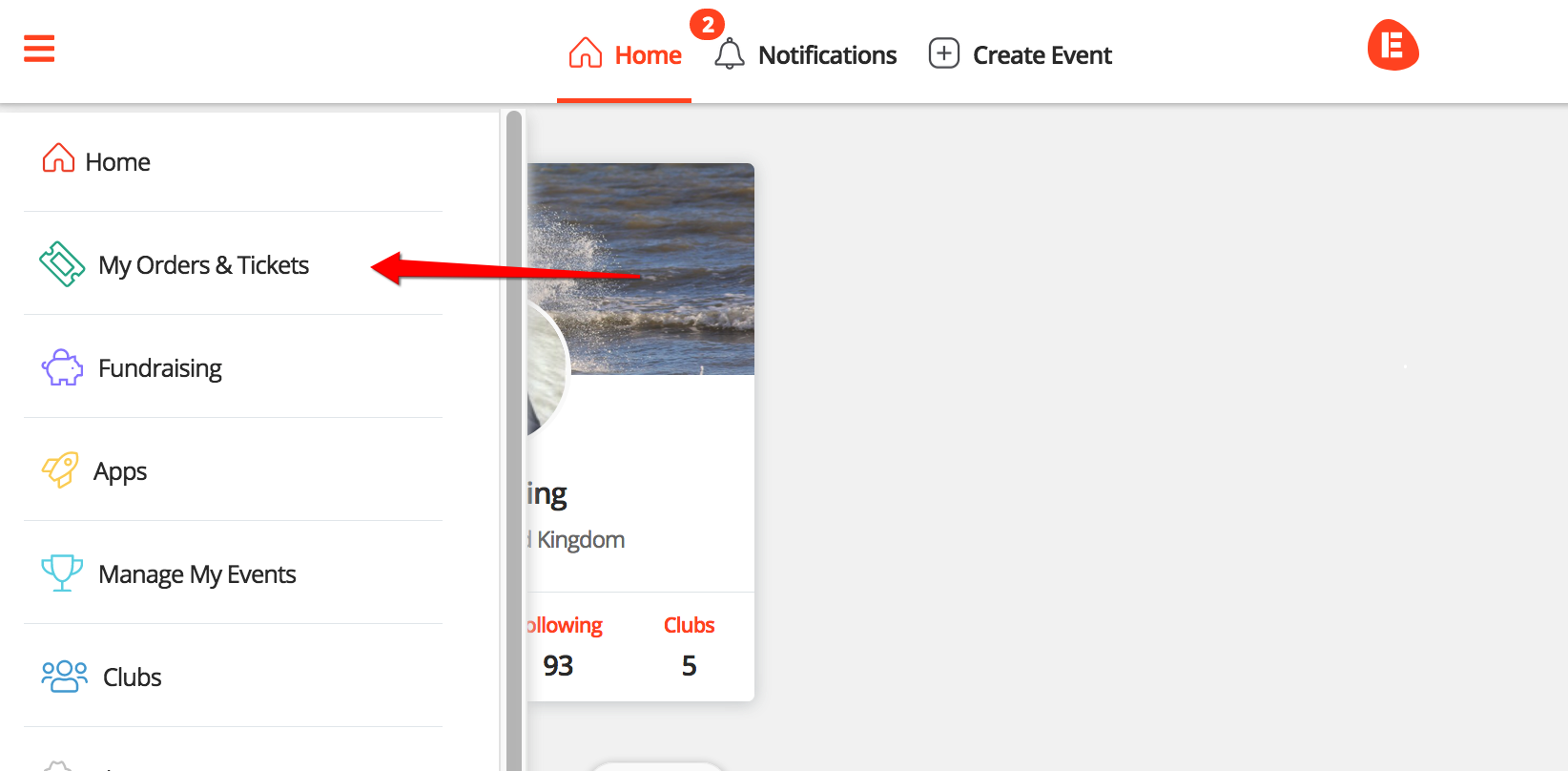
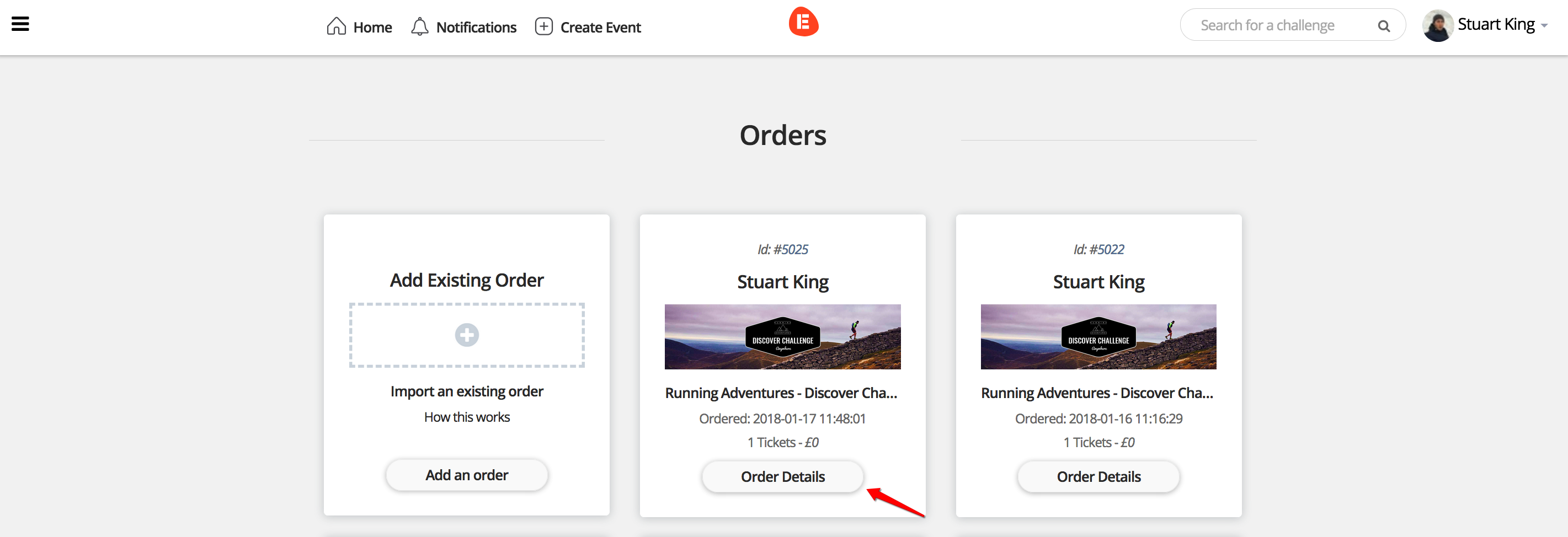
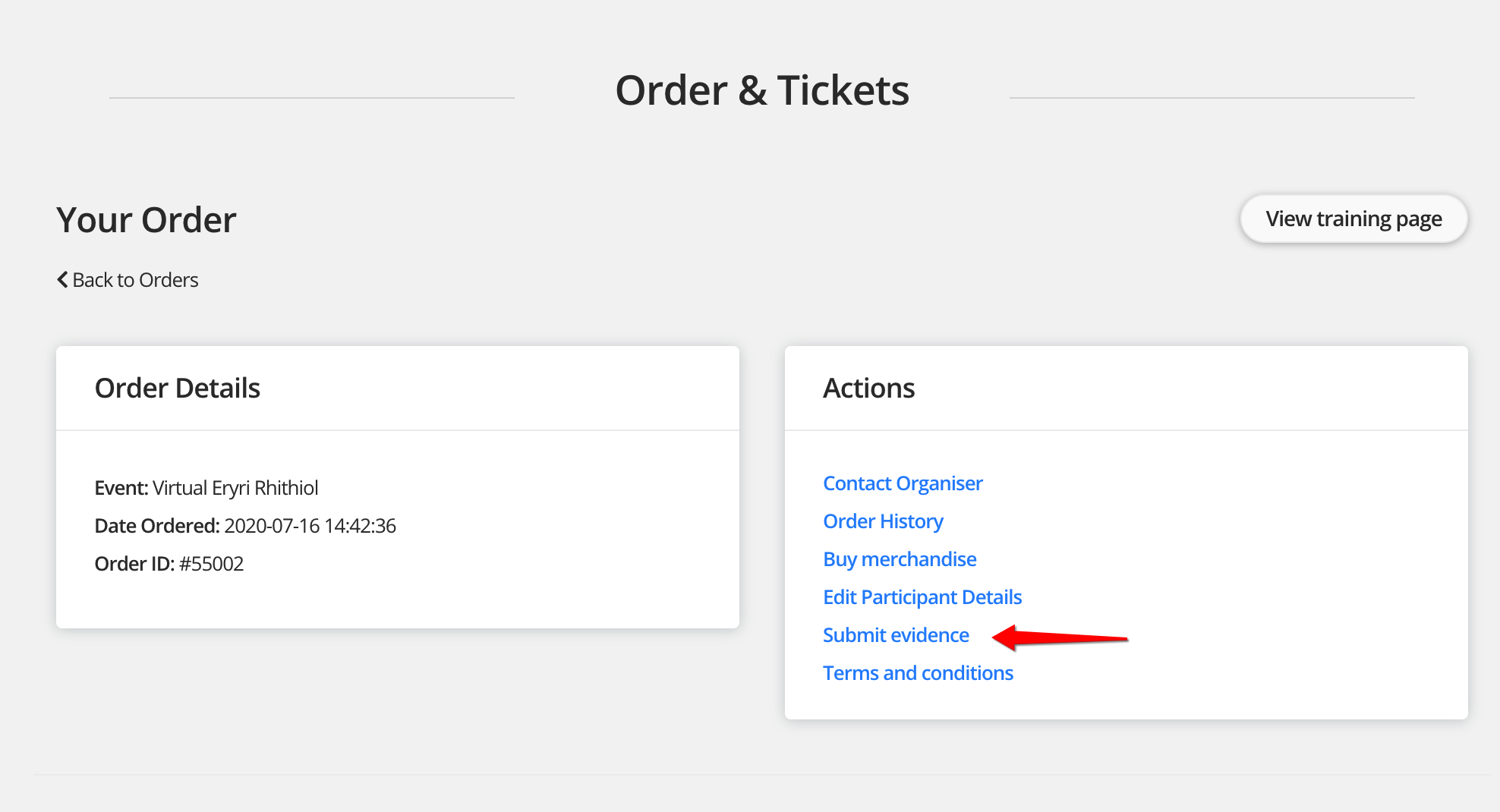
Step 4 - Click 'Submit Evidence'
Step 5 - You'll then see a form to input your activity link and race time. Once you have filled in the form click 'submit'.
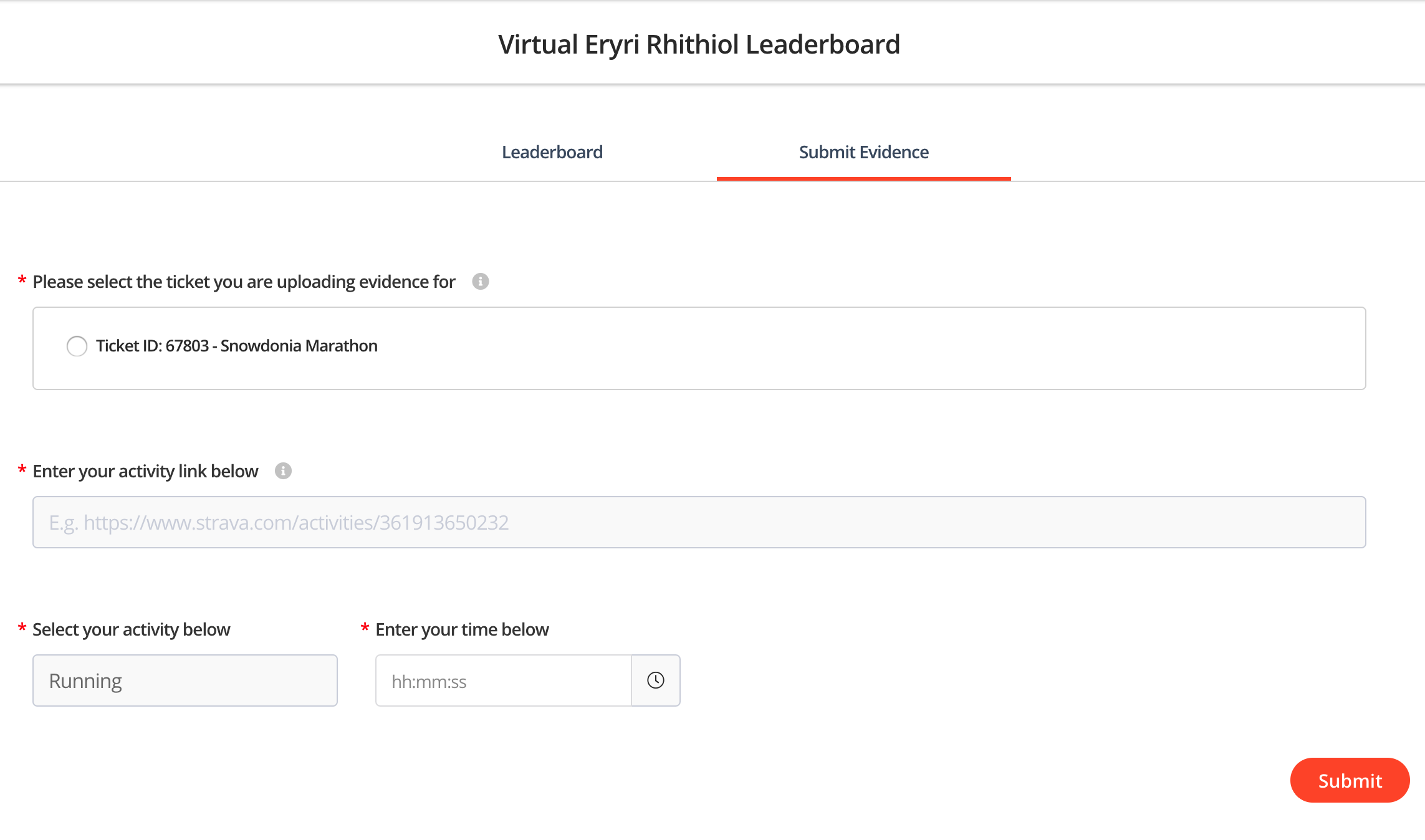
That's it, your activity will be updated and you will then appear on the leaderboard.
How to edit & deleted existing submissions
If you have already made a submission then you can view and edit these. Follow the below steps to get started.
Step 4 - Click 'Submit Evidence'
Step 5 - Click 'My submissions' on the right tab in the centre of the page.
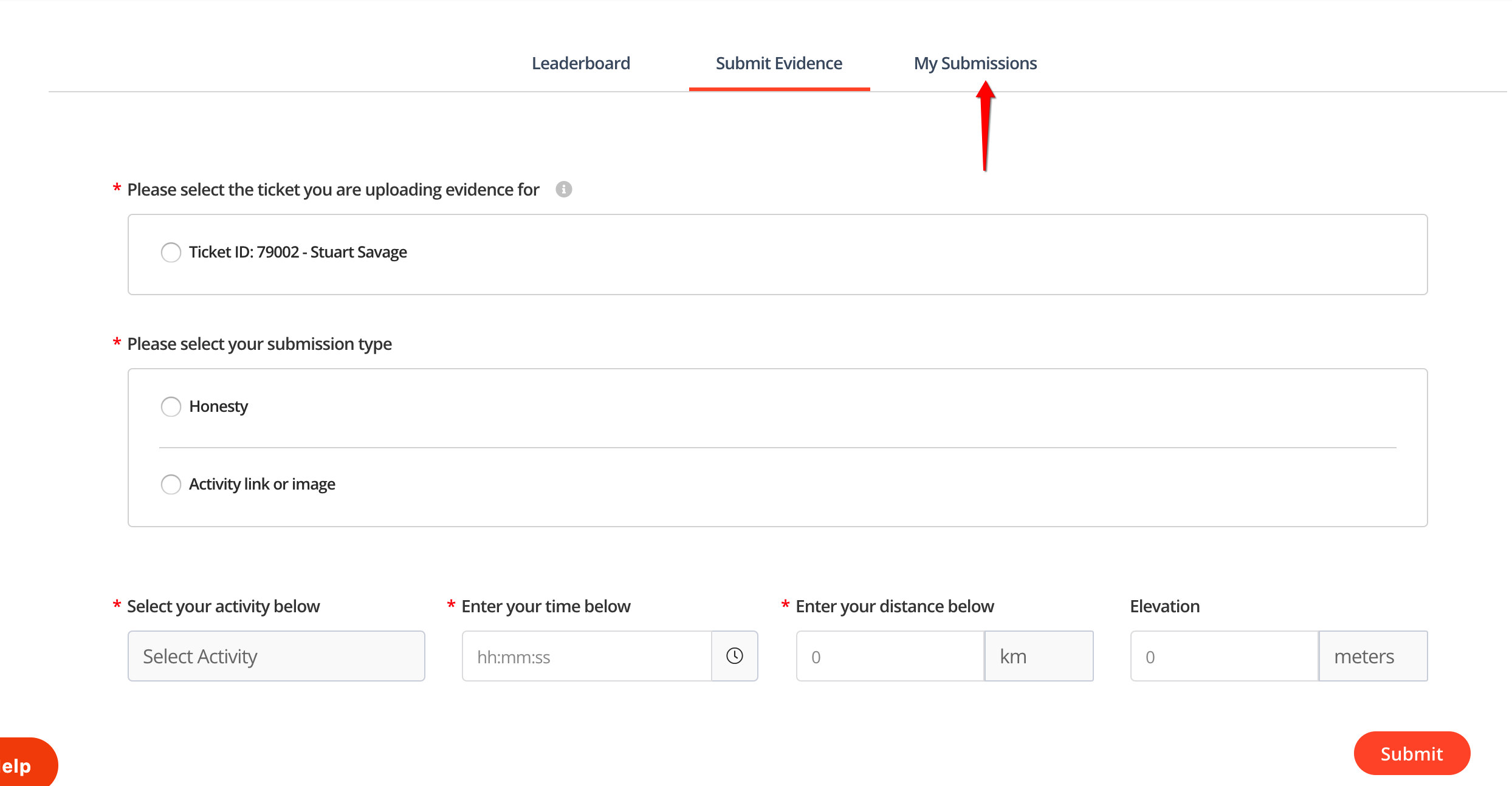
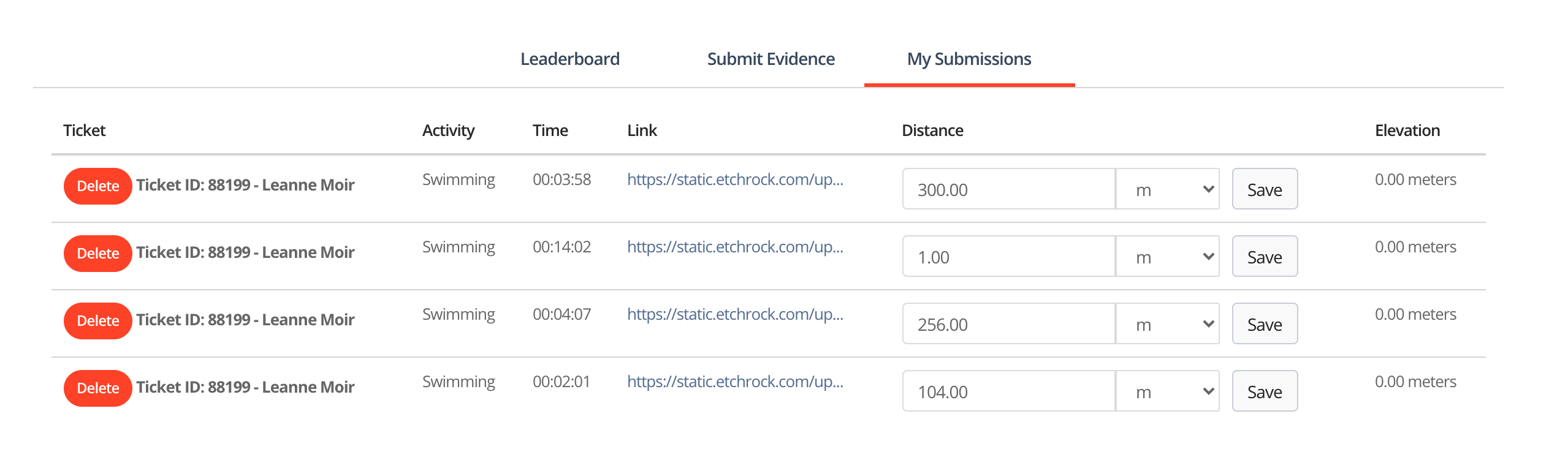
Step 6 - You'll then see a list of your submission(s) and you will be able to edit or delete the ones you need to.
For help please email support@etchrock.com
Comments
0 comments
Article is closed for comments.