
How to find and copy the supporters registration link
Step 1 - Navigate to manage your fundraising campaign/event page
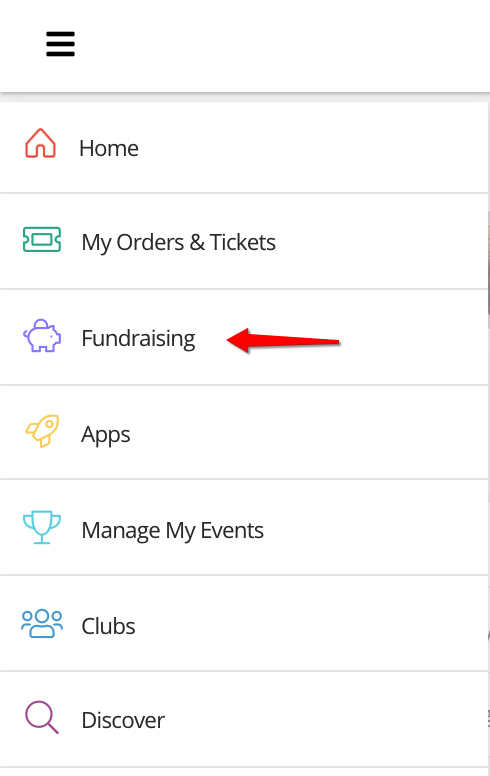
First navigate to the fundraising campaign/event you wish to copy the link from. Using the side menu bar, click on the top icon to open the menu and then click 'Fundraising'.
Step 2 - Navigate to notifications (continued)
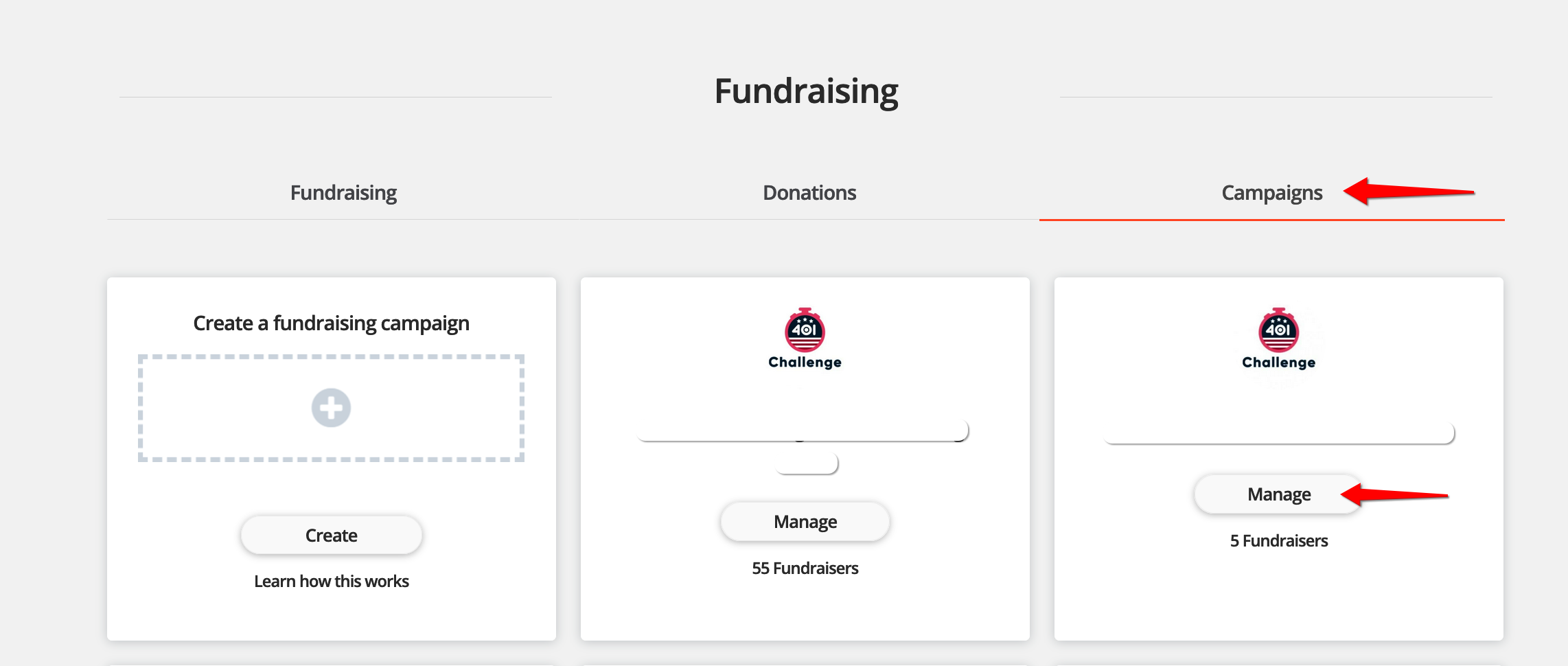
Select 'Campaigns' on the top list of tabs and then select 'manage' on the campaign/event you wish to manage.
Step 3 - Copy the event fundraising page link
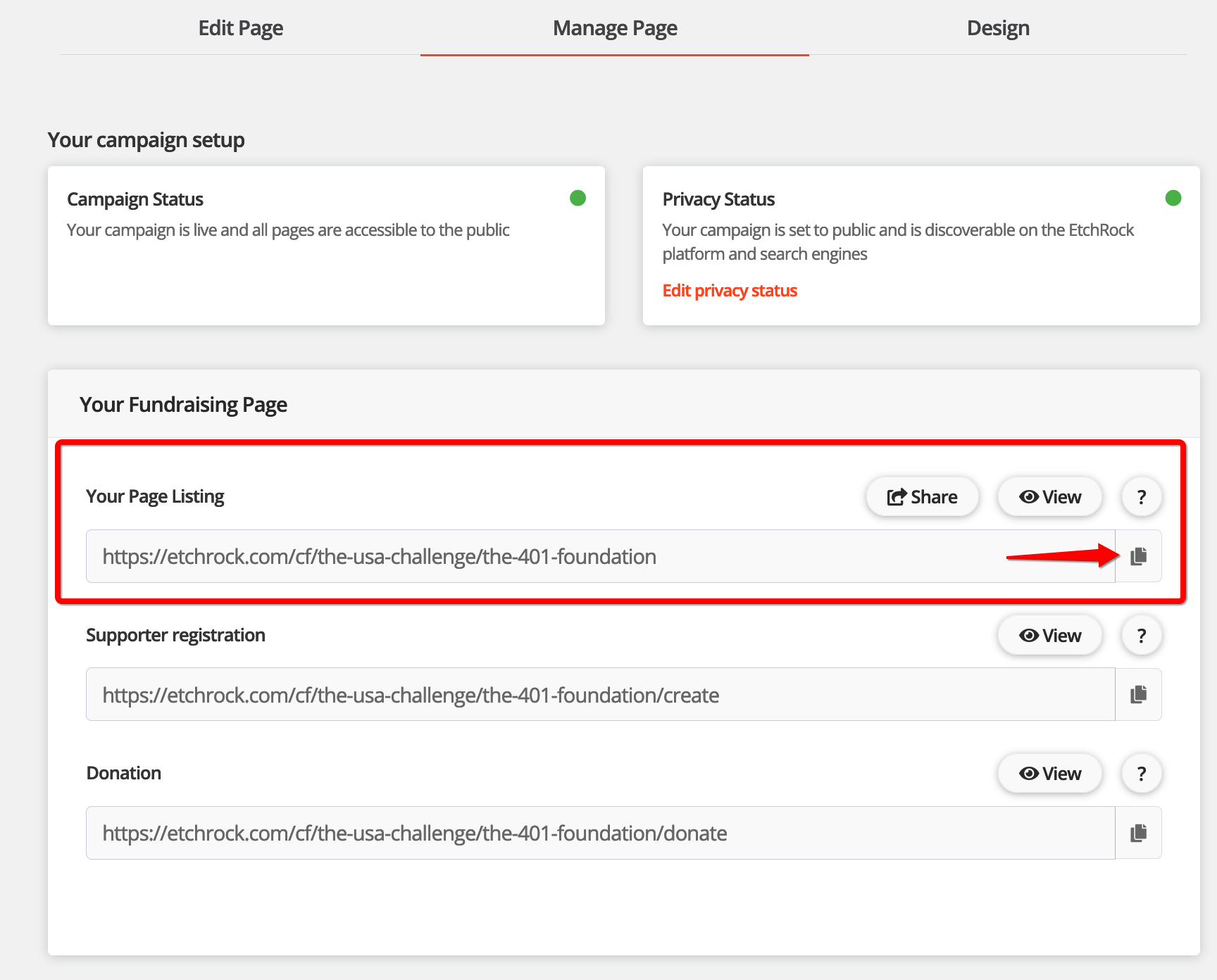
You'll now be within the manage fundraising campaign page. On the right side, second section down you'll find your page links. Click the copy icon next to the 'Your page listing' link, this will copy the link and you'll be able to use it later.
That's it, for help please email support@etchrock.com
Comments
0 comments
Article is closed for comments.