
How to find find and manage your supporters
You can view and manage your supporters from within the fundraising campaign. The below guide details how to navigate to your supporters and details what supporter information is available.
Step 1 - Navigate to manage your fundraising campaign/event page
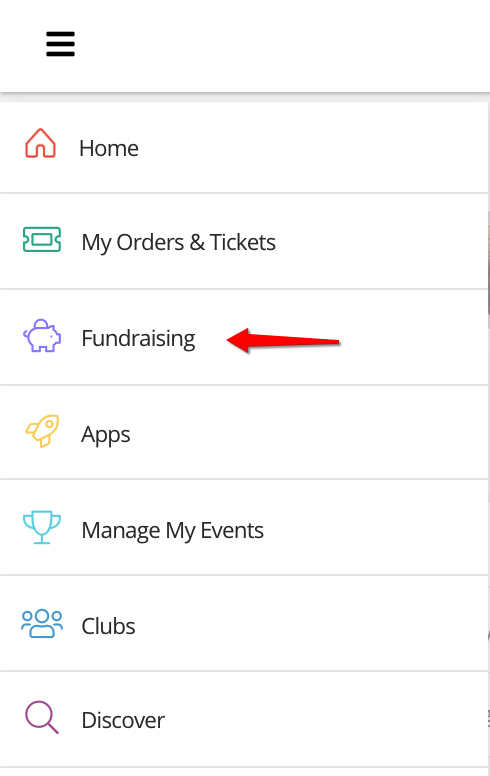
First navigate to the fundraising campaign/event you wish to copy the link from. Using the side menu bar, click on the top icon to open the menu and then click 'Fundraising'.
Step 2 - Navigate to notifications (continued)
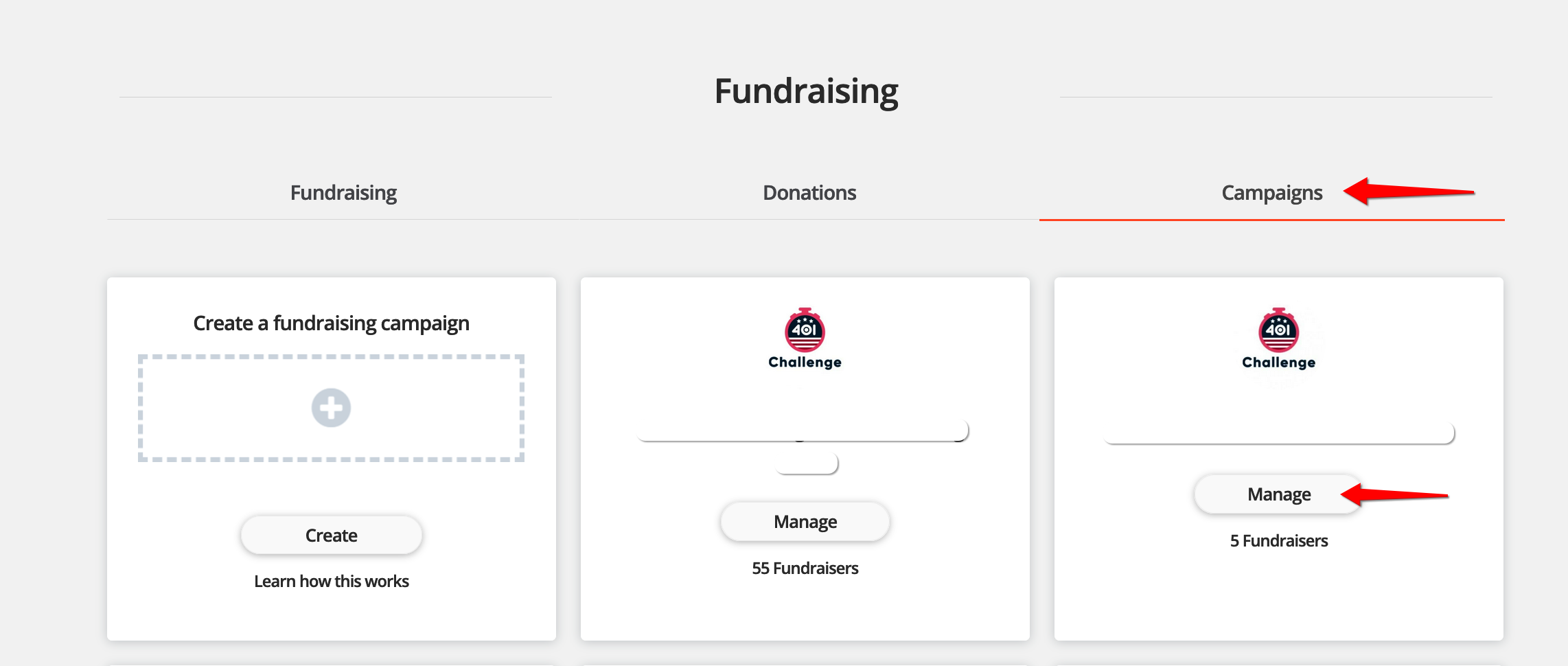
Select 'Campaigns' on the top list of tabs and then select 'manage' on the campaign/event you wish to manage.
Step 3 - Click 'Manage supporters'
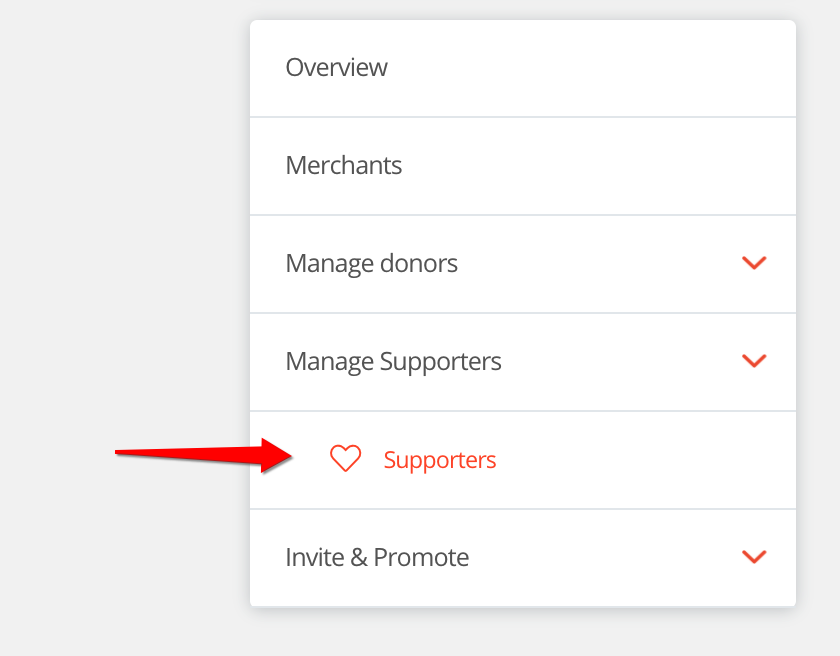
Click 'manage supporters' and then 'supporters'.
That's it, you'll see a table containing the supporters that are registered to fundraise within your campaign. You can click on the name of each supporter and will be shown the below information.
- First name
- Last name
- Amount fundraised
- Gift Aid Amount
- Target amount
- Fundraising page link
- Fundraising referral link
For help please email support@etchrock.com
Comments
0 comments
Article is closed for comments.