
Referral Links
Creating a referral link will allow you to keep track of the number of sales and revenue generated through each unique referral link. Create multiple links and share with your ambassadors to help promote your event.
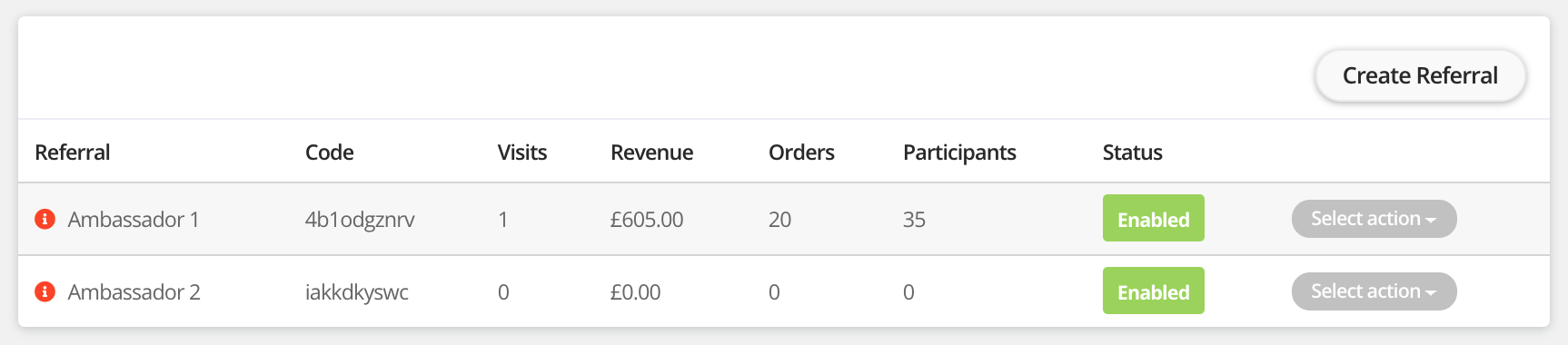
How to create a referral link
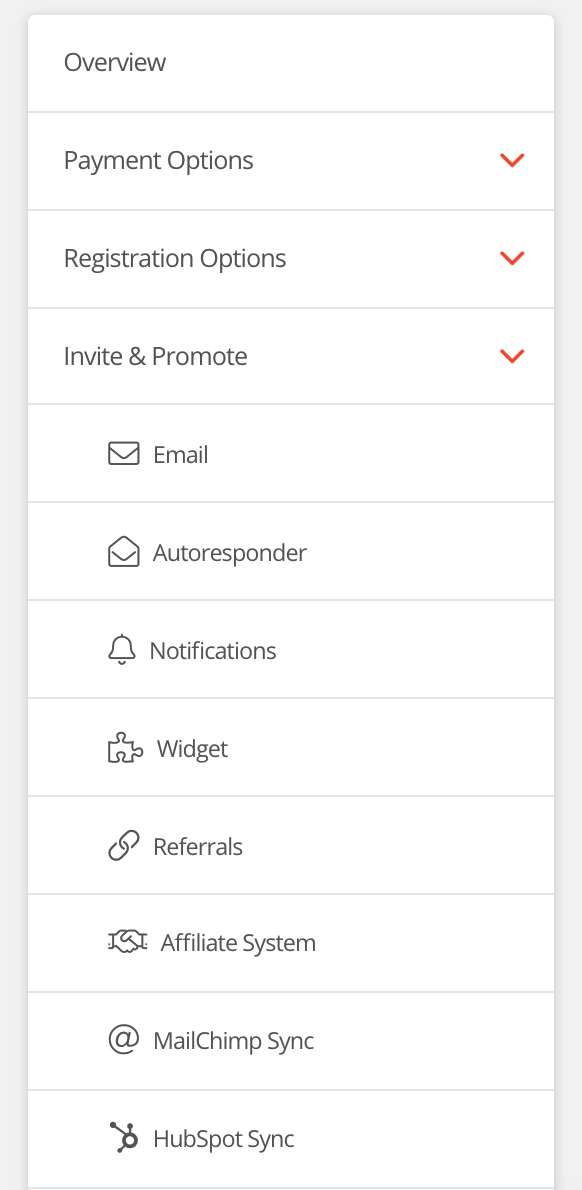
Step 1 - Navigate to 'Referrals' by going to manage event > Invite and promote > Referrals.
Step 2 - Click 'Create referral', this will load a new form and allow you to start creating your referral code.
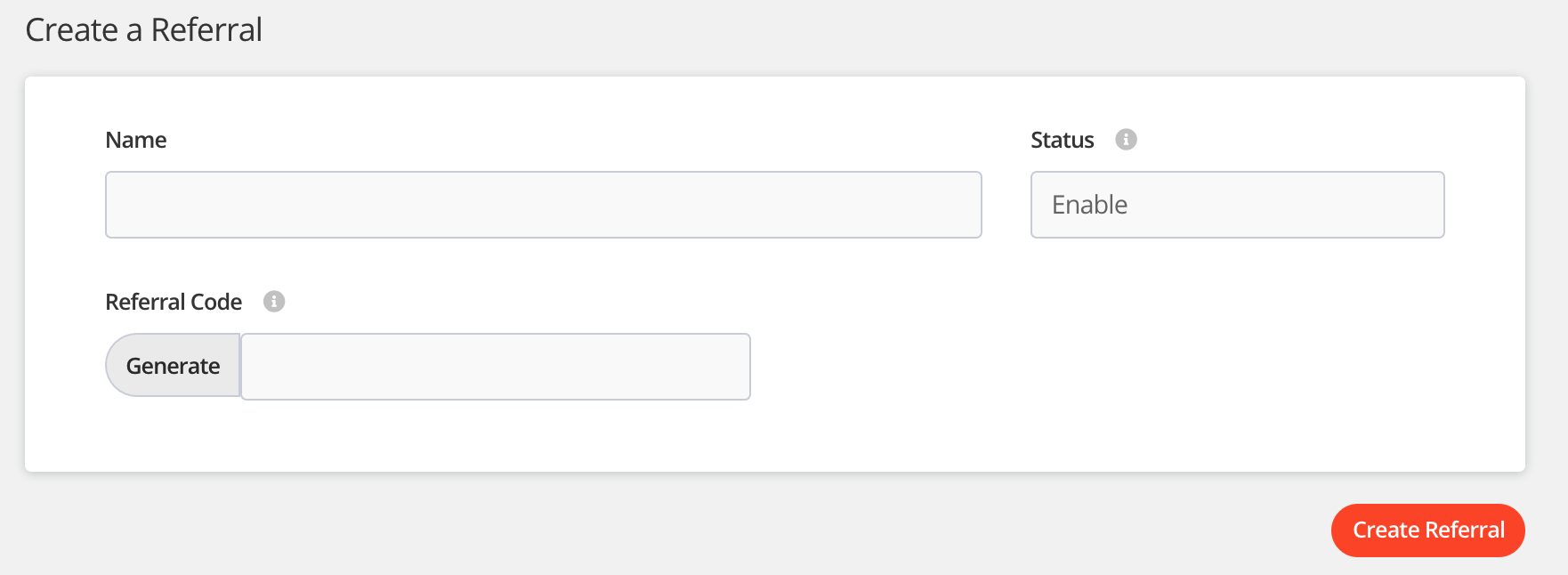
Step 3 - Create your referral link
- Name - Who is this referral for?
- Status - This allows you to disable it at a later date.
- Referral code - You can auto generate a numeric code by clicking 'Generate' or create a custom code.
Step 4 - Share the referral link with your ambassador. Click 'Copy code' and then copy the url that you wish to share. We recommend sharing your tickets link if you are looking to encourage sales.
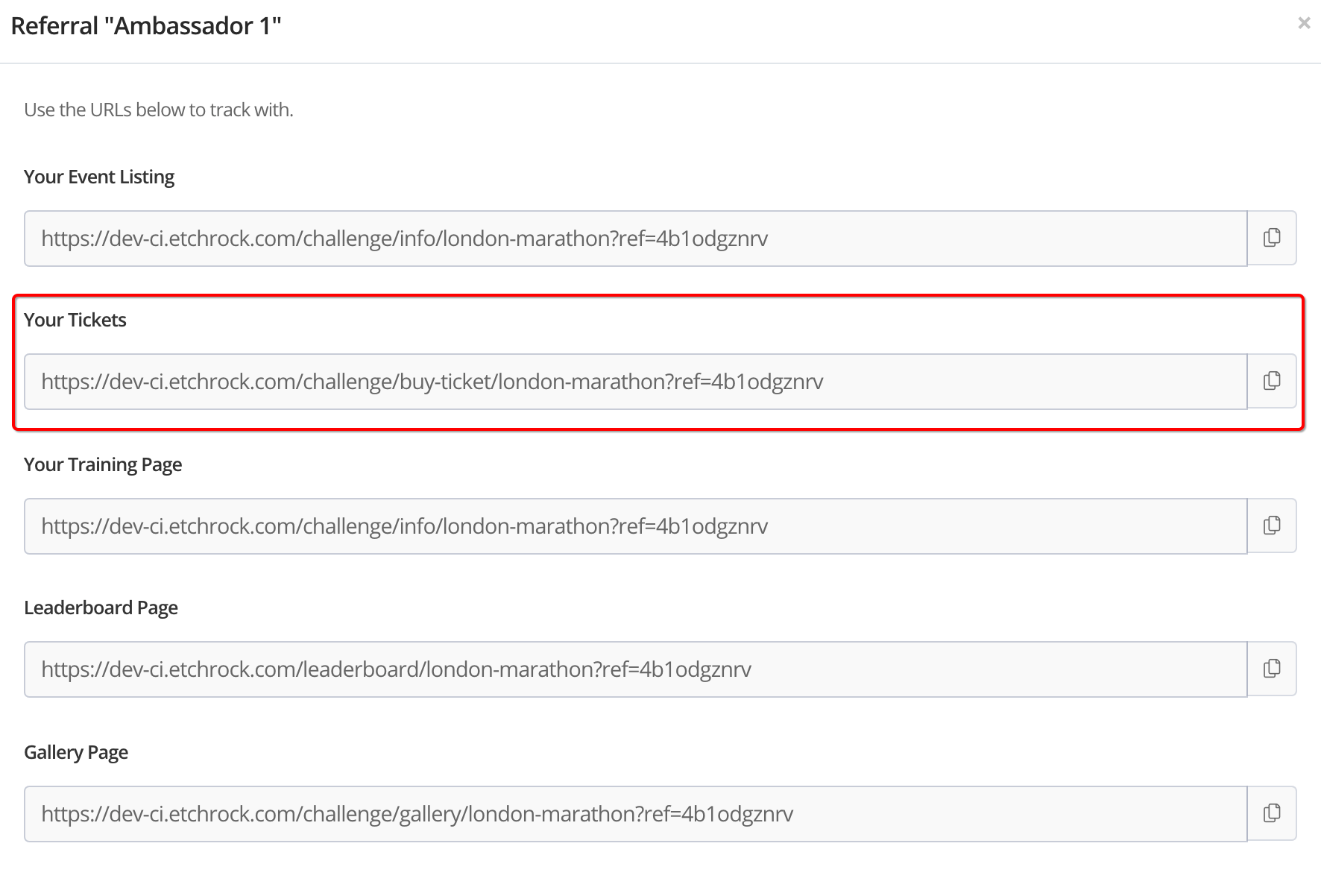
Thats it, you'll be able to track the number of sales and revenue generated through each unique referral link.
For help please email support@etchrock.com
Comments
0 comments
Article is closed for comments.